
Networking
Can One PoE Switch Power IP Phones, CCTV Cameras and Wi-Fi Access Points?
Oct
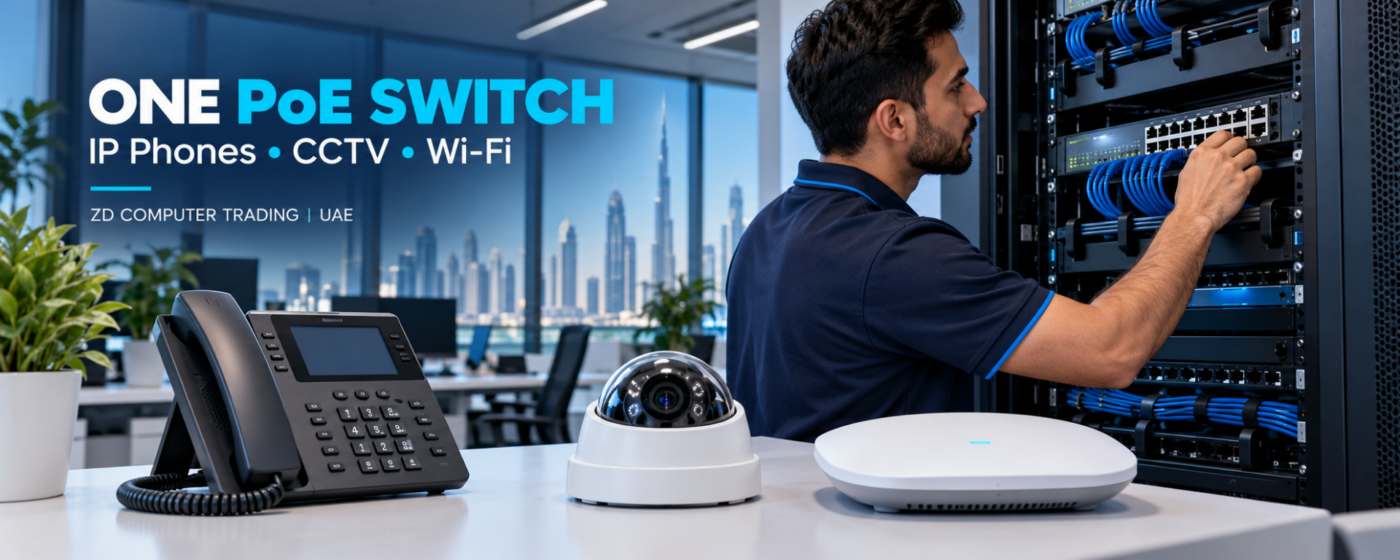
Yes—one suitable managed Power over Ethernet switch can often power IP phones, CCTV cameras and Wi-Fi access points in the same UAE office. However, port count alone does not tell you whether the installation will work reliably.
When planning a shared PoE switch for a UAE office, check the exact device models, available power, network configuration and cable routes together. A switch may have spare sockets but insufficient power for another camera or access point.
What a shared PoE switch does
PoE carries network data and electrical power through an Ethernet cable to a compatible device. This can reduce the need for separate power adapters at desks, ceilings and camera positions. Compatible IP phones, IP cameras and wireless access points can share suitable switching infrastructure.
Sharing hardware does not mean every device should have unrestricted access to the same network. Equipment compatibility and traffic separation still need a planned configuration.
1. Count powered ports and uplinks separately
Check how many ports actually provide PoE output. A product’s total connection count may include data-only ports or SFP uplinks. These do not necessarily power additional endpoints.
- PoE ports: connections for compatible powered devices.
- Data-only ports: network connections without PoE output.
- Uplinks: connections to the router, another switch or the wider office network.
List all phones, cameras and access points, then allow for planned additions. Also identify where the PBX, NVR, computers and printers will connect.
2. Check total power, not just power per port
Every switch has a shared PoE power budget. The maximum supported power on an individual port is different from the amount available across all ports at once.
For example, Cisco’s Catalyst 1200 data sheet lists the C1200-16P-2G with 16 Gigabit PoE+ ports, two Gigabit SFP uplinks and a 120W PoE budget. That does not mean all 16 ports can simultaneously supply 30W.
Prepare a list of each device’s exact model, quantity, PoE standard and maximum power requirement. Include accessories and operating modes that increase demand. Camera infrared lighting, PTZ movement and phone expansion modules can affect the calculation.
Use the manufacturer’s figures and the switch’s power-allocation method to confirm the required budget, including cable losses where applicable. Keep appropriate headroom for startup and approved expansion rather than relying on an average idle reading.
3. Match the PoE standard to each device
Common standards include IEEE 802.3af, 802.3at and 802.3bt. Confirm the device’s requirement, the individual port’s supported output and the switch’s shared budget. Higher-power access points or cameras may need a different switch or power arrangement.
Do not assume that passive PoE equipment is interchangeable with standards-based PoE. Check the exact model documentation before connecting equipment.
4. Plan voice, CCTV and office network separation
A suitable managed switch can support VLANs, which allow different logical networks to use the same physical infrastructure. A design may separate phones, cameras, staff devices, guest Wi-Fi and network management.
Grandstream’s managed-switch documentation describes VLAN and voice-prioritisation features. These features must be configured to match the router or firewall, PBX, handsets, access points and NVR. VLANs alone do not establish a complete security policy; routing and access rules are also required.
Before changing an existing installation, document which devices need to communicate. Incorrect VLAN, DHCP or port settings can prevent phone registration, camera viewing or normal internet access.
5. Check traffic capacity and call quality
Electrical power and network bandwidth are separate checks. A switch may power every device successfully while a busy uplink still becomes congested.
- Review where camera streams travel and where the NVR connects.
- Check uplink speed between switches, floors and the router.
- Consider Wi-Fi users, backups and busy-hour traffic.
- Confirm appropriate voice Quality of Service settings throughout the relevant path.
QoS can help prioritise traffic during congestion, but it cannot repair damaged cables or create extra bandwidth. A shared switch does not automatically guarantee clear calls or uninterrupted video.
6. Inspect cabling, ventilation and backup power
Each endpoint needs a suitable, tested cable path. Check cable condition, length, terminations, patch panels and labels. Existing outlets should be tested before assuming they can support the proposed installation.
The cabinet also needs appropriate ventilation, accessible cable management and suitable power protection. If continuity matters, size backup power for the complete service—including the switch, router, PBX and NVR as applicable.
Read our structured office cabling guide for the information to prepare before a quotation.
When separate switches may be better
One managed PoE switch can be practical, but separate switches may be more suitable for different floors, distant cabinets, higher combined power demand or maintenance isolation. Security requirements and camera traffic can also influence the design.
Consider the impact of a fault: if phones, cameras and Wi-Fi all depend on one switch, its failure affects all three. Backup power helps with power interruptions, but it does not replace planning for hardware failure.
Information to send for a quotation
- Company name and Trade License copy or TRN.
- Contact person’s name and mobile number.
- Complete office address and Google Maps location.
- Quantity and exact models of phones, cameras and access points.
- Clear photos of existing switches, router, PBX, NVR and cabinet.
- Number and condition of existing network points.
- Any current faults and planned expansion.
For home enquiries, send your name, contact number, address, map location and equipment details; a Trade License is not needed. Please keep passwords and device-admin credentials out of ordinary enquiry messages.
Frequently asked questions
Can an eight-port PoE switch power eight devices?
Only if it has eight suitable PoE output ports and the connected devices meet both the individual-port limits and the shared power budget.
Can IP phones and CCTV use the same switch?
Yes, with compatible equipment, sufficient power and bandwidth, and a suitable network configuration. Traffic separation may be required by the design.
Why does a device restart when more equipment is connected?
Possible causes include insufficient PoE capacity, cable or port faults, incompatible power requirements, overheating or unstable input power. The technician should check specifications and switch logs before replacing equipment.
Is a managed switch useful for a small office?
It is often useful when phones, CCTV and business data share infrastructure because monitoring, VLANs and traffic controls may be needed. The choice should follow the actual requirements.
Plan your UAE office PoE network
ZD Computer Trading supplies and configures office networking, compatible PoE switches, IP phones, CCTV and Wi-Fi infrastructure. Our team will review your equipment and location before confirming service availability, equipment and installation scope.
Browse our PoE switch catalogue or read the office PBX capacity guide.
Request a quotation: WhatsApp +971 50 886 3312 | Office +971 4 393 1778 | Contact ZD Computer Trading.
Manufacturer references
