
Uncategorized
Professional Printer Paper Jam Repair UAE: The Ultimate 2026 Guide to Resolving Feed Issues
Jul
A simple paper jam is rarely just about the paper; it’s often the first warning sign of a mechanical failure that could sideline your entire office. We understand that few things are as frustrating as a stalled print queue when you’re facing a tight deadline in a busy UAE business environment. You’ve likely tried clearing the path only to have the same error return minutes later, which leads to a valid concern about accidentally damaging sensitive internal sensors or expensive rollers. Professional printer paper jam repair UAE services ensure that these disruptions don’t become permanent hardware failures.
It’s true that most users feel a sense of dread when a high-end multifunction device stops feeding correctly. This guide provides the expert clarity you need to resolve your current feed issues while identifying the root causes that lead to recurring downtime. We will explore how to safely clear obstructions, when to call for specialized technical support, and how proactive maintenance can extend the life of your office hardware. From understanding roller degradation to managing sensor alignment, you’ll gain the technical perspective required to maintain consistent operational uptime.
Key Takeaways
- Learn to identify the three primary mechanical zones where jams occur to diagnose whether the issue originates in the input tray, fuser area, or output path.
- Master the “Power Off” rule and correct directional pulling techniques to clear obstructions safely without damaging sensitive internal sensors.
- Understand when a “Phantom Jam” indicates worn-out pick-up rollers that require specialized printer paper jam repair UAE to restore reliable feeding.
- Discover how implementing a regular cleaning schedule and using OEM-specified consumables can significantly reduce the risk of recurring paper debris.
- Find out how ZD Computer Trading provides comprehensive on-site technical support for HP, Canon, and Xerox hardware across the UAE to ensure operational uptime.
Understanding the Root Causes of Frequent Printer Paper Jams
A paper jam is technically defined as a mechanical or sensor-triggered interruption within the device’s internal media path. When a sheet of paper fails to reach a specific optical sensor within a pre-programmed timeframe, the printer’s logic board halts all operations to prevent hardware damage. Effective printer paper jam repair UAE starts with a clear understanding of where these interruptions occur. Most feed issues are localized in three distinct zones: the input tray where the initial “pick” happens, the fuser area where heat bonds toner to the page, and the output path where the finished document exits the machine.
Identifying the root cause requires a systematic troubleshooting approach rather than simply pulling at visible scraps. If the paper consistently stops in the same location, the issue is likely mechanical. However, if the jams are sporadic, the culprit often involves the media itself. Low-quality or damp paper, which is a frequent challenge in the UAE’s coastal humidity, changes the friction coefficient of the sheets. This causes the printer to either fail to grab a page or, conversely, pull multiple sheets into the path simultaneously.
Common Hardware Triggers for Media Path Errors
Hardware degradation is a primary driver of recurring errors in high-volume office environments. Over time, the rubber pick-up rollers that grab paper from the tray lose their grip as the material dries out or becomes coated in paper “fluff.” If these rollers cannot create enough friction, the paper won’t move, triggering a “no paper” or jam error. Similarly, degraded separation pads are designed to ensure only one sheet enters the printer at a time; when they wear down, double-feeding occurs. In the fuser assembly, sticky residue from non-OEM toner can cause paper to wrap around the rollers instead of passing through, leading to difficult-to-clear obstructions.
The Role of Environmental Factors in the UAE
The unique climate in UAE plays a significant role in printer health that many standard guides overlook. Fine desert dust acts as an abrasive, prematurely wearing down the soft rubber components of the feed system and clouding optical sensors. When dust settles on a sensor, the printer may report a “phantom jam” even when the path is entirely clear. Furthermore, high humidity levels can cause paper to “curl” or increase in thickness as it absorbs moisture. This variation in GSM (grams per square meter) leads to misalignment as the paper travels through the internal curves of the machine. Maintaining climate-controlled storage for all paper supplies is a vital step for any UAE-based business looking to minimize technical disruptions.
Troubleshooting Steps: How to Safely Clear a Paper Jam
Once you have identified the location of the stoppage, the first and most critical rule is to power down the device. Modern fuser units operate at extremely high temperatures to bond toner to paper; touching these components while they are active can result in serious burns. Beyond physical safety, turning off the printer protects the internal logic board from electrical surges while you are manipulating internal components. Many common printer problems originate from improper handling during a jam, which can lead to expensive sensor damage.
The golden rule for physical removal is to always pull the paper in the direction of the normal media path. Never pull a sheet backward against the rollers. This creates unnecessary tension on the drive gears and increases the likelihood of the paper tearing. If a sheet tears, “micro-scraps” are often left behind, wedged deep within the sensor assemblies. These tiny fragments are notoriously difficult to see but are a frequent reason why businesses require specialized printer paper jam repair UAE. Even a piece of paper the size of a fingernail can block an optical path, leading to a persistent error message that won’t clear.
Step-by-Step DIY Clearing Procedure
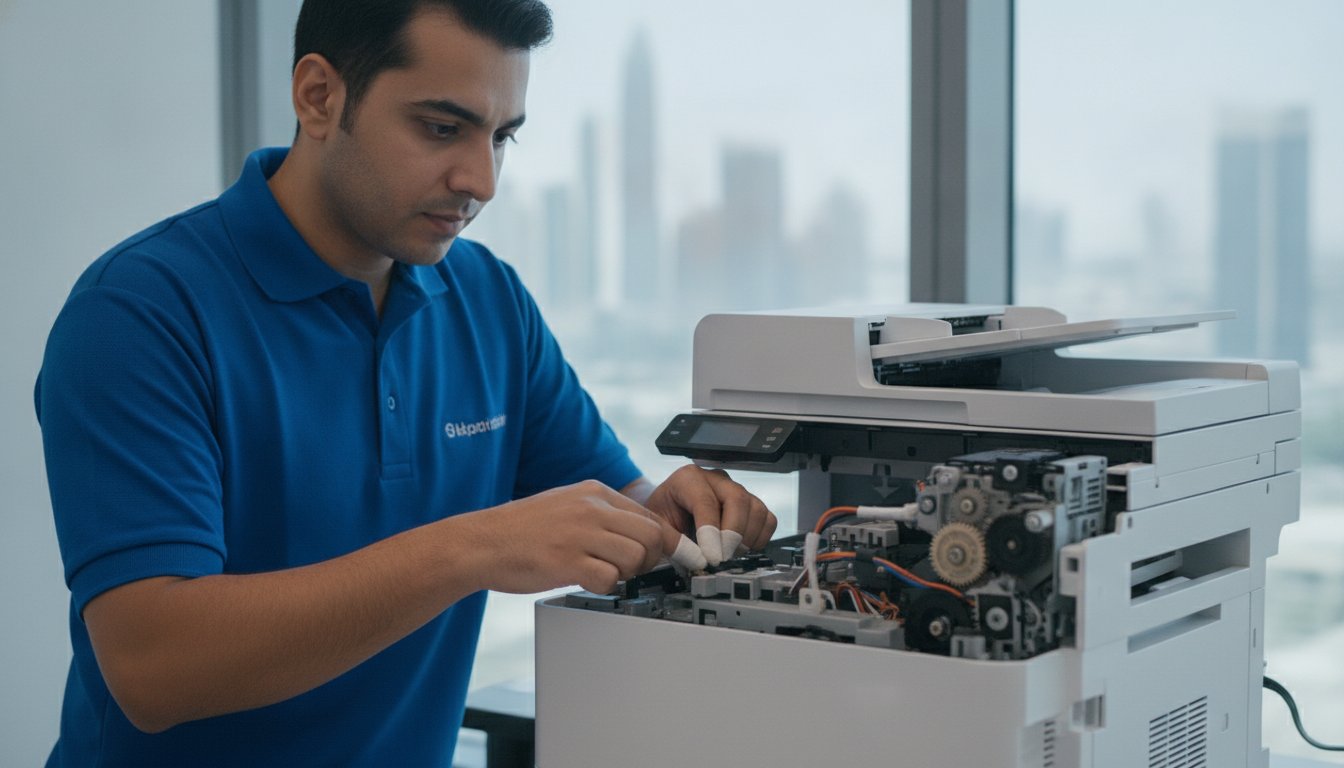
Begin by opening the primary access doors and carefully removing the toner cartridges or drum units. This usually provides the clearest view of the paper path. If the paper isn’t visible from the front, check the rear access panel and the duplexer unit, as paper often bunches in these tight curves. After you’ve successfully removed the obstruction, inspect the area with a flashlight to ensure no small remnants remain. Finally, close all doors and restart the device. This power cycle resets the printer’s internal logic and allows the sensors to re-calibrate their status.
Safety Precautions to Avoid Costly Damage
It’s tempting to reach for scissors or tweezers when a sheet feels stuck, but using metal tools inside a printer is a high-risk maneuver. One small slip can permanently scratch the Organic Photo Conductor (OPC) drum or puncture the delicate fuser sleeve. These components are sensitive to light and physical contact; even the oils from your skin can degrade print quality. If the paper feels truly jammed and won’t budge with moderate, even pressure, don’t force it. At this stage, seeking expert HP or Canon printer repair is the safest way to protect your investment and ensure the machine returns to service without further complications.
When DIY Fails: Identifying Hidden Mechanical and Sensor Damage
Sometimes you open every access door, inspect every tray, and find absolutely nothing, yet the device insists a blockage exists. This phenomenon is known in the industry as a “Phantom Jam.” It’s one of the most common reasons businesses seek printer paper jam repair UAE, as it indicates the problem isn’t the paper itself but the system designed to track it. When the internal logic board expects a sheet to trigger a sensor and it doesn’t happen, the machine defaults to an error state to protect its internal components.
Beyond sensor issues, mechanical timing errors often mimic a standard jam. Modern printers rely on a complex network of solenoids and gears to coordinate the movement of paper. Solenoids are electromagnetic switches that engage the drive gears at precise intervals. If the adhesive padding on a solenoid degrades, it becomes “sticky,” causing the gear to stay engaged too long. This results in the paper being pulled a fraction of a second late, which the printer interprets as a feed failure. These timing issues require component-level diagnostics that go far beyond basic cleaning.
The fuser assembly is another area where DIY attempts often fall short. This unit is a high-precision component responsible for melting toner onto the page using intense heat and pressure. If the fuser sleeve is torn or the internal heating element is failing, paper will frequently bunch up or “accordion” inside the unit. Because the fuser is both fragile and dangerous to handle due to residual heat, it’s a component that should only be serviced by a trained technician. Attempting to disassemble a fuser without the correct tools often leads to permanent hardware failure.
Optical Sensor Misalignment and Failures
Internal optical sensors use a beam of light to detect the presence of paper. In the dusty environment of the UAE, microscopic particles can settle on these sensors, effectively “blinding” them. Additionally, physical sensor flags—the tiny plastic levers that paper pushes as it passes—can become dislodged or broken. If a flag gets stuck in the “down” position, the printer assumes paper is still present. Resolving this requires specialized solvents and a steady hand to recalibrate the sensor path without snapping the delicate plastic components.
Fuser and Roller Degradation
Every printer has a specific duty cycle, and once you exceed it, components like the fuser and rollers begin to fail predictably. You might notice “bald roller” syndrome, where the rubber becomes smooth and shiny, losing the grip necessary to pull paper from the tray. If your device is consistently failing to pick up paper or producing smeared prints, it’s time for professional printer repair. Replacing these wear-and-tear parts is a cost-effective way to restore your machine’s original performance and prevent the frustration of daily operational delays.
Preventive Maintenance: Strategies to Eliminate Recurring Jams
Maintaining a consistent workflow requires moving beyond reactive fixes. While a quick printer paper jam repair UAE can resolve an immediate crisis, a structured preventive strategy is what ensures long-term reliability. The foundation of this strategy begins with the consumables you choose. Using OEM-spec paper and toner isn’t just about print quality; it’s about reducing the volume of microscopic debris that enters the machine. Generic toners often have larger particle sizes that can leak and coat internal sensors, while low-grade paper sheds fibers that act as an abrasive on rubber rollers.
Implementing a basic cleaning schedule for external components can prevent a significant portion of common feed errors. Use a lint-free cloth to wipe down the paper trays and the visible parts of the pick-up rollers every time you load a new ream of paper. This simple habit removes the fine UAE dust before it has a chance to reach the sensitive internal optics. Additionally, training staff on correct tray alignment is essential. If the side guides are too tight, the paper will buckle; if they’re too loose, the paper enters the path at an angle, leading to an immediate skew jam.
The Value of Managed Printer Servicing
For high-volume environments, managed servicing offers a level of technical oversight that internal teams can’t provide. Professional technicians perform deep cleaning of the internal duplexer and fuser areas that are inaccessible to the average user. These visits also include critical firmware updates that optimize paper feed timing and sensor sensitivity. If you are managing larger fleets, integrating photocopier maintenance UAE standards into your routine can prevent the mechanical fatigue that leads to expensive part replacements.
Best Practices for Media Handling
The way you store and handle paper is just as important as the hardware itself. In the UAE’s humid climate, paper acts like a sponge, absorbing moisture that causes it to curl and stick together. Always store your paper in a cool, dry, climate-controlled environment, and keep reams sealed in their original wrappers until needed. Before loading a tray, fan the edges of the paper ream to break any static bond between the sheets. This ensures the pick-up roller can grab a single page without dragging a second sheet along with it. Finally, never mix different paper weights or sizes in the same tray, as the printer’s sensors are calibrated for the specific drag of a uniform media type.
Don’t wait for the next error code to disrupt your business operations. Schedule a professional maintenance consultation with ZD Computer Trading today to ensure your office hardware remains in peak condition.
Professional Repair and Maintenance Solutions with ZD Computer Trading
ZD Computer Trading LLC stands as a cornerstone of technical reliability within the UAE’s competitive business environment. As specialists in HP, Canon, and Xerox hardware, we provide the meticulous attention to detail required for complex printer paper jam repair UAE. Our approach isn’t merely about clearing a visible obstruction; it’s about restoring the mechanical integrity of your entire office infrastructure. By offering national coverage for on-site technical support, we ensure that businesses across the Emirates experience minimal downtime when critical hardware failures occur.
For organizations looking to manage their operational budgets more effectively, we offer strategic alternatives to expensive new hardware purchases. Our inventory of refurbished digital photocopiers provides the same high-performance capabilities as brand-new models but at a significantly lower entry point. Additionally, our printer rental services offer a comprehensive solution where maintenance and repair costs are absorbed into the service agreement. This model effectively eliminates the financial burden of unexpected mechanical failures for the end-user, as our technicians handle all routine servicing and emergency interventions as part of the contract.
Comprehensive Technical Expertise
Our service range extends far beyond standard desktop units to cover the full spectrum of office logistics. We provide sophisticated on-site diagnostics for large-format plotters and high-speed multi-function scanners, ensuring every node in your document workflow remains functional. We prioritize the use of genuine spare parts for fusers, rollers, and logic boards to guarantee long-term performance after every visit. If your current equipment has reached the end of its viable life, exploring refurbished Canon photocopier UAE options can be a reliable and cost-effective upgrade path for your team.
Why UAE Businesses Trust ZD Computer Trading
With years of experience as a seasoned local expert in IT infrastructure, ZD Computer Trading has built a reputation for professional integrity and technical excellence. We embrace a “can-do” attitude, often succeeding where others fail on complex mechanical repairs that require deep component-level knowledge. Our commitment to high operational standards makes us a dependable partner for businesses that cannot afford a stalled print queue. Book your printer inspection today to secure the technical support your business deserves and ensure your hardware is ready for the demands of 2026.
Securing Consistent Uptime for Your Business Operations
Resolving a feed issue involves more than just clearing the immediate path. It requires a technical understanding of how environmental factors and mechanical wear impact your device’s internal logic. By prioritizing climate-controlled paper storage and regular roller maintenance, you can eliminate the majority of common disruptions before they occur. However, when recurring errors point toward sensor misalignment or fuser degradation, professional intervention is the only way to safeguard your hardware investment. Specialized printer paper jam repair UAE services provide the deep diagnostic care necessary to prevent minor mechanical glitches from becoming total system failures.
If you’re facing persistent errors or simply want to optimize your fleet’s performance, Schedule a Professional Printer Inspection with ZD Computer Trading. Our expert HP and Canon technicians offer UAE-wide on-site service and comprehensive managed print solutions to keep your office running smoothly. Reliable printing is the backbone of office productivity, and with the right maintenance partner, you can ensure your hardware remains a stable asset for years to come.
Frequently Asked Questions
How do I clear a paper jam that I can’t see?
You can clear an invisible jam by systematically checking the duplexer unit and the rear access panels, which are common hiding spots for bunched-up media. If the paper isn’t visible from the front or tray areas, it’s likely stuck in these secondary paths. Always use a flashlight to inspect the internal rollers for small scraps that might be blocking the optical sensors and preventing the machine from resetting.
Why does my printer keep jamming even though there is no paper inside?
A printer reporting a jam without actual paper is often experiencing a “phantom jam” caused by dirty optical sensors or a stuck sensor flag. In the dusty environment of the UAE, microscopic particles can block the sensor’s light path. This issue requires professional printer paper jam repair UAE to clean the internal optics with specialized solvents without damaging the delicate plastic components or displacing the sensor flags.
Can using cheap third-party toner cause more paper jams?
Using non-OEM toner can lead to frequent jams because these cartridges often leak fine powder that coats the internal rollers and sensors. This residue increases friction and causes the paper to slip or stick, especially within the high-heat fuser assembly. Sticking to genuine toner ensures that the internal components remain clean and the media path stays clear of the obstructive debris that triggers feed errors.
Is it worth repairing an old printer that frequently jams?
Repairing an old printer is worth it if the issue is limited to replaceable wear items like pick-up rollers or separation pads. However, if the main logic board or fuser assembly requires replacement, the cost may approach the price of a newer unit. In such cases, upgrading to a high-quality refurbished digital photocopier can be a more cost-effective and reliable long-term solution for your office environment.
How often should I have my office printer professionally serviced in the UAE?
Most offices in the UAE should schedule professional servicing every three to six months to combat the cumulative effects of ambient dust and humidity. High-volume environments or those located near construction sites may require more frequent visits to keep the intake rollers and optical sensors clear. Regular maintenance prevents the mechanical fatigue that leads to emergency downtime and expensive hardware repairs in the long run.
What should I do if a piece of paper rips while I am pulling it out?
If a sheet of paper rips, you must stop immediately and avoid using metal tools like tweezers or scissors to fish out the remains. Using sharp objects can permanently scratch the drum or puncture the fuser sleeve. If the scrap is not easily accessible by hand, it’s safer to call a technician who can disassemble the path to remove the “micro-scraps” without causing further hardware damage.
Do printer rental contracts include free paper jam repairs?
Most professional printer rental contracts include comprehensive maintenance and repair services as part of the monthly agreement. This typically covers mechanical failures and paper jam resolutions, ensuring that your business doesn’t face unexpected technical fees. These managed solutions provide peace of mind by shifting the responsibility for hardware uptime to the service provider, allowing your team to focus on core operations without technical distractions.
Which printer brands are least likely to experience paper jams?
Major enterprise brands like HP, Canon, and Xerox are engineered with robust media paths that are less prone to frequent jamming when used with correct paper weights. These manufacturers invest heavily in roller technology and sensor logic to handle high volumes. While no machine is entirely jam-proof, these brands offer the most reliable performance when supported by a consistent preventive maintenance schedule and genuine consumables.
