
Uncategorized
Professional Printer Repair and Maintenance: The 2026 UAE Business Reference
Jul
The cheapest printer repair quote in your inbox today might actually be the most expensive decision your operations team makes this quarter. When a device fails during a critical billing cycle or project deadline, the true cost isn’t just the technician’s fee; it’s the stalled workflow and the frustration of dealing with recurring hardware issues. You likely already know that unreliable maintenance and hidden service charges can drain your annual budget faster than the initial equipment purchase. In a fast paced market like the UAE, consistent uptime is a baseline requirement for professional excellence, not a luxury.
This reference helps you master the technical and commercial aspects of printer maintenance to eliminate office downtime across the UAE. We’ll examine how to secure long term hardware reliability and a fast on site technical response while ensuring a clear ROI on your maintenance spend. You’ll learn to navigate the 2026 e-waste regulations and apply the 50 percent repair versus replace rule to your fleet. By the end of this guide, you’ll have the framework to transform your printing infrastructure from a source of frustration into a steady, reliable asset that supports your long term business goals.
Key Takeaways
- Learn how to interpret manufacturer-specific diagnostic codes for Canon and HP devices to identify hardware stress before it leads to a total system failure.
- Master the “Age vs. Repair Cost” threshold to determine when professional printer repair is a viable investment versus when a refurbished model offers better value.
- Gain insights into the unique maintenance requirements for high-volume digital photocopiers, plotters, and scanners to ensure consistent output quality across all departments.
- Identify the essential technical certifications and regional response capabilities required to select a dependable service partner capable of supporting a national office footprint.
- Discover how professional diagnostic tools and specialized technical expertise help you transition office hardware from a reactive expense to a strategically managed asset.
Understanding Modern Printer Failures in Professional Environments
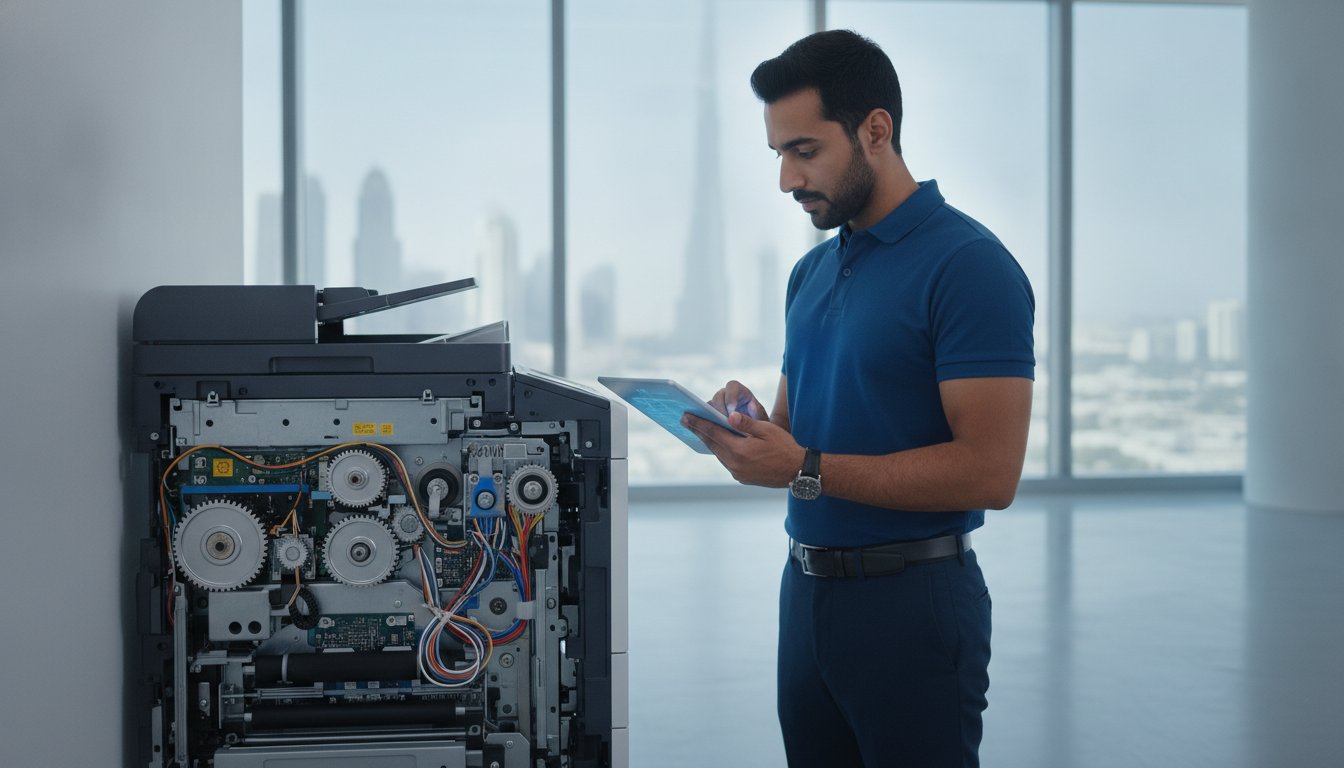
Modern office printing has transitioned from purely mechanical processes to sophisticated digital integration. While older models relied almost entirely on robust gears and belts, today’s hardware functions as a networked computer with complex moving parts. This evolution means that a single point of failure could be a worn pickup roller or a corrupted firmware update. Professional environments can’t afford the trial and error approach of amateur fixes. When a device stops responding, the cause is often a blend of mechanical wear and software conflicts that require a systematic diagnostic approach.
The UAE’s unique environmental conditions present specific challenges for hardware longevity. High ambient temperatures and fluctuating humidity levels can accelerate the degradation of fuser units and sensitive toner chemistry. In these cases, professional printer repair becomes a necessity to prevent permanent damage to the internal chassis. If you are managing a fleet of smaller devices, understanding common inkjet printer failures like nozzle clogging is helpful, but enterprise laser systems require a different level of technical scrutiny. Specialized diagnostic tools allow technicians to bypass the user interface and communicate directly with the device’s internal sensors to find the root cause of an issue.
The Anatomy of a Hardware Failure
Most critical hardware failures originate in the fuser unit or the drum assembly. These components are under constant thermal stress; they must reach precise temperatures to bond toner to paper correctly. Over time, the heating elements degrade, leading to ghosting or smudged prints. Beyond the imaging components, the paper feed mechanism is a frequent source of trouble. Pickup rollers are made of specialized rubber that loses its grip as it accumulates paper dust. If your machine is experiencing frequent multi-sheet feeds or “no paper” errors despite a full tray, the rollers likely need professional cleaning or replacement. In smart printers, logic board failures or firmware corruption can mimic mechanical issues, making it difficult for internal IT teams to resolve the problem without brand specific training.
Network Integration and Software Conflicts
It’s common for office teams to misdiagnose a connectivity issue as a mechanical breakdown. If a printer suddenly stops responding after a server update, the problem likely lies in the driver compatibility or the IP assignment rather than the hardware itself. Securing printer hardware within the broader corporate IT infrastructure is essential for both functionality and data security. When we perform HP printer repair or service other major brands, we often find that outdated drivers are the primary cause of slow spooling and “orphaned” print jobs. Ensuring your hardware is correctly mapped to your network and protected by current security protocols is just as vital as maintaining the physical gears and motors.
Technical Diagnostics: Identifying Plotter, Scanner, and Printer Issues
Identifying the root cause of a hardware failure requires more than just reading an error message; it demands an understanding of the mechanical stress points within high-volume devices. When high-volume photocopiers begin to show faint vertical lines or produce an audible grinding sound, these are often early warnings of drum unit or developer unit exhaustion. These visual and auditory indicators serve as the first line of defense for office managers. Ignoring these signs typically leads to a total system shutdown at the most inconvenient moment. Understanding the technical nuances of these systems is vital when defining repair vs. remanufacturing for enterprise-level equipment, as the depth of the intervention determines the long-term reliability of the machine.
Diagnostic codes provide a more granular look into the machine’s internal state. For HP and Canon devices, codes like “50.x Fuser Error” or “E000” indicate specific thermal or power issues that require immediate professional attention. While some error messages can be cleared with a simple power cycle, persistent codes suggest a component is operating outside its safe parameters. Implementing a schedule for regular printer servicing ensures these codes are addressed before they escalate into a need for extensive printer repair. A proactive approach keeps the mechanical components within manufacturer specifications, significantly extending the equipment’s lifecycle.
Before calling a technician, your team can perform a preliminary on-site assessment to streamline the resolution process:
- Check Physical Connectivity: Ensure all cables are seated firmly and the network port is active.
- Inspect Consumables: Verify that toner cartridges and drums are genuine and correctly installed.
- Review the Internal Log: Print a configuration or error report to see a history of recent failures.
- Isolate the Paper Path: Identify if jams occur consistently at the tray, the duplexer, or the fuser.
Specialized Plotter and Large-Format Diagnostics
Plotters used in architectural and engineering firms require a higher degree of precision than standard office printers. Signs of belt wear, such as jagged lines in CAD drawings or a “carriage stall” error, indicate that the drive system is failing. Calibration errors often stem from ink delivery system failures or dirty encoder strips. Maintaining this precision is essential for professional outputs, and resolving these issues requires a deep understanding of wide-format carriage assemblies. If your large-format gear is struggling with accuracy, seeking specialized plotter repair can restore the tight tolerances your projects demand.
Scanner and Document Imaging Troubleshooting
Document imaging issues often start with sensor degradation or small imperfections on the glass plate that cause streaks on digital files. In high-volume environments, the Automatic Document Feeder (ADF) is a common failure point. Jam patterns in the ADF usually point to worn separation pads or dust accumulation on the sensors. Optimizing digital output quality involves more than just software settings; it requires professional cleaning of the internal optics and a mechanical calibration of the feed system to ensure every scan is crisp and correctly aligned.
The Business Case: Repairing vs. Upgrading vs. Equipment Rental
Deciding between a one-time printer repair and a total fleet upgrade requires a structured financial framework that goes beyond the immediate invoice. Most operations managers in the UAE apply the 50 percent rule; if the cost of restoring a device exceeds half the price of a new, comparable model, replacement is usually the logical path. However, for high-end enterprise units, the calculation is more complex. You must conduct a thorough cost-benefit analysis that accounts for the remaining lifecycle of the chassis and the potential for future downtime. While a basic inkjet might only cost AED 200 to replace, a professional laser system is a significant asset that often warrants high-quality maintenance over early disposal.
When considering HP printer repair, the widespread availability of genuine spare parts in the local market often tips the scales in favor of fixing the unit. Restoring a proven machine maintains workflow continuity without the need for staff retraining on new software interfaces. If a total replacement is necessary, refurbished Canon photocopiers provide a compelling middle ground. These units offer the performance of premium hardware at a lower price point, helping businesses meet the 2025 e-waste regulations by extending the life of existing electronics. This strategy supports sustainability goals while keeping operational costs manageable.
When to Invest in Professional Repair
High-end multi-function devices (MFDs) often retain significant residual value even after several years of service. A major component overhaul, such as replacing a fuser unit or main logic board, can return a machine to near-factory performance levels. This is particularly true when genuine parts are used, ensuring the device remains compatible with your current IT security protocols. The ROI of a repair is often realized within six months of restored uptime, especially when compared to the high upfront cost of new, high-speed laser equipment that can exceed AED 1,000. For legacy Canon i-SENSYS models and similar devices that still perform specialized tasks, keeping them in service through professional Canon printer repair is often more productive than migrating to a new platform.
Exploring the Rental and Refurbished Alternative
Many UAE firms are moving away from the ownership model entirely to preserve cash flow. Opting for photocopier rental allows you to shift heavy capital expenditure (CapEx) into predictable monthly operational expenditure (OpEx). This model typically includes managed print service agreements, ensuring that maintenance and toner supplies are handled by the provider without surprise fees. For businesses that prefer ownership but have tight budgets, refurbished digital photocopiers undergo rigorous quality assurance standards to ensure they meet modern performance benchmarks. This approach provides a reliable, cost-effective solution that balances immediate operational needs with long-term financial constraints.
Criteria for Selecting a National Printer Service Provider
Selecting a partner for printer repair isn’t just about finding the nearest technician; it’s about verifying technical depth and regional reliability. A national service provider should hold verifiable technical certifications for major brands like HP and Xerox. These credentials ensure that the person opening your machine understands the specific tolerances and firmware requirements of that model. Transparency is equally vital. A professional provider will always issue a detailed diagnostic report before starting work. This report should break down the mechanical failures and the necessary parts, preventing the hidden costs that often plague the industry. If a technician can’t explain the “why” behind a failure, they likely don’t have the expertise to prevent it from happening again.
Geographic coverage is a non-negotiable factor for businesses with offices spanning Dubai, Abu Dhabi, and Sharjah. You need a partner with the logistics to provide on-site support regardless of your branch location. A multi-disciplinary provider that understands IT, networking, and hardware offers a distinct advantage. Because modern printers are networked devices, a “hardware only” technician might miss a configuration error that is actually causing the downtime. Having a single point of contact for all infrastructure needs streamlines the resolution process and ensures that your hardware and software work in perfect harmony.
Technical Expertise and Brand Specialization
Factory-trained technicians are critical for high-end plotter repair because these machines operate with extreme precision. A slight misalignment in the carriage assembly can ruin expensive rolls of architectural media. A dependable provider maintains a robust inventory of genuine spare parts to ensure immediate resolution. We’ve seen numerous cases where national corporate clients were saved from weeks of downtime because the right fuser unit or logic board was already in local stock. When you choose a provider with deep brand specialization, you’re investing in a faster return to operational status.
Service Level Agreements (SLAs) and Support
Defining acceptable downtime windows is the foundation of a strong Service Level Agreement. For critical business operations, a four-hour or next-business-day response time is often the standard. Preventative maintenance plays a massive role in meeting these targets by reducing the frequency of emergency call-outs. By identifying worn rollers or cooling fan failures during a scheduled check, technicians can swap parts before they cause a system crash. It’s also beneficial to evaluate the breadth of a provider’s additional capabilities, such as network installation, to ensure your entire office ecosystem is supported by a single, competent team. If your office equipment requires expert attention, schedule a professional diagnostic visit today to secure your uptime.
Professional Technical Solutions from ZD Computer Trading LLC
ZD Computer Trading LLC functions as a comprehensive solution provider for businesses that prioritize operational consistency. Our on-site technical service covers Dubai and Sharjah. For faults needing an assessment or parts replacement, see our printer repair service in Dubai and contact our team for availability. We don’t just offer printer repair; we provide a holistic approach to hardware lifecycle management that includes specialized maintenance for plotters and scanners. By integrating our repair capabilities with broader IT solutions like network installation and CCTV camera installation, we ensure your office remains a secure and productive environment. This commitment to technical excellence is grounded in professional integrity, aiming to build the long term trust necessary for a successful business partnership.
Our Multi-Brand Repair and Maintenance Ecosystem
Our technical teams possess the brand specific expertise required to manage the complex needs of modern office fleets. We provide specialized support for HP, Canon, and Xerox digital photocopiers, ensuring that every calibration and component replacement meets factory standards. Our capabilities include:
- The supply and installation of high quality refurbished digital photocopiers.
- Specialized HP and Canon printer repair for high volume office units.
- Meticulous maintenance for plotters and large format scanners used in technical sectors.
- Integration of printer hardware with broader IP phone and door lock attendance systems.
We’ve refined our processes to ensure we maintain precision for your technical drawings and high resolution scans. Delivering consistent technical support across these diverse brands is central to our role as a versatile industry veteran with a deep understanding of the local business ecosystem.
Partnering for Long-Term Operational Uptime
Reliability is built through consistent care rather than reactive fixes. We offer customized maintenance contracts that are tailored to your specific business volume and output requirements, helping you avoid the disruption of unexpected failures. As your organizational needs evolve, our versatile service model allows for a seamless transition from hardware repair to printer rental services or new equipment sales. This flexibility ensures that your printing infrastructure always aligns with your current operational scale. If it’s time to secure your office uptime, you can reach out to ZD Computer Trading for a comprehensive technical assessment of your current hardware and networking environment. Our goal is to provide a one stop resource that is both broad in its capabilities and meticulous in its execution.
Securing Operational Continuity with Strategic Asset Management
Transitioning from reactive fixes to proactive asset management is the essential step in minimizing office downtime. By applying the “Age vs. Repair Cost” threshold and understanding the nuances of modern diagnostic codes, you can make informed decisions that protect your bottom line. Whether you’re managing a standard office unit or specialized wide format gear, professional intervention ensures that your hardware remains a reliable asset rather than a constant source of frustration. Consistent maintenance isn’t just a technical requirement; it’s a strategic investment in your team’s productivity.
Securing a dependable partner for printer repair provides the peace of mind needed to focus on your core business objectives. ZD Computer Trading LLC offers national UAE service coverage and comprehensive IT and security integration, supported by technicians certified for HP, Canon, and Xerox hardware. You can Request a Professional Technical Assessment from ZD Computer Trading LLC today to ensure your infrastructure is optimized for 2026 and beyond. We’re ready to help you maintain the high operational standards your clientele expects.
Frequently Asked Questions
How much does a typical printer repair cost in the UAE?
Repair costs in the UAE vary based on the device type and the severity of the damage. Minor mechanical adjustments generally fall into a lower tier, while complex hardware failures requiring brand-specific components command a higher investment. Diagnostic visit fees and hourly rates are standard across the industry; however, specialized wide-format equipment often requires a different pricing structure than standard office laser printers.
Is it worth repairing an office printer that is more than five years old?
It depends on the technology type and the total cost of restoration. A professional laser printer often has a lifespan of five to ten years, making a repair a viable investment if the parts are still widely available. For inkjet models that typically last three to five years, you should apply the 50 percent rule. If the repair quote exceeds half the price of a new, comparable model, upgrading is usually the more cost-effective choice.
Can plotters and large-format scanners be repaired on-site?
Most professional plotters and large-format scanners are designed for on-site technical service due to their size and sensitivity. Technicians typically carry specialized diagnostic tools and a selection of common spare parts, such as drive belts and carriage assemblies, to resolve issues at your facility. This approach minimizes the risk of hardware damage during transport and ensures that architectural or engineering teams can resume critical production as quickly as possible.
What are the most common causes of printer paper jams?
Paper jams are frequently caused by worn pickup rollers, poor paper quality, or incorrect tray alignment. Over time, the rubber surfaces on the feed rollers lose their grip, causing them to pull multiple sheets or fail to advance the paper correctly. Accumulation of paper dust and debris within the internal path also contributes to frequent stoppages. Regular cleaning of the sensors and rollers is the most effective way to prevent these disruptions.
How long does a professional printer servicing session take?
A standard preventative maintenance session for a single office printer typically takes between 45 and 90 minutes. This timeframe allows for a comprehensive internal cleaning, roller inspection, and firmware check. High-volume digital photocopiers or wide-format plotters may require more extensive attention, sometimes extending to two or three hours. A thorough session ensures every mechanical component is calibrated to manufacturer specifications to prevent future hardware failures.
Do you provide a warranty on spare parts used during repairs?
Industry standards in the UAE generally include a limited warranty on genuine spare parts and the associated labor for a specific period. You should always verify the terms of the warranty with your service provider before the work begins to ensure you’re protected against premature component failure. Reputable providers prioritize professional integrity and use high-quality parts that are designed to match the original manufacturer’s performance benchmarks.
Can software or network issues cause a printer to stop working?
Software conflicts and network configuration errors are among the most common reasons a device stops responding. If your hardware is functioning but not receiving print jobs, the issue likely lies with outdated drivers, IP address conflicts, or firewall restrictions. Professional printer repair often involves a diagnostic sweep of the local network to ensure the communication path between the workstation and the hardware is secure and correctly mapped.
What is the difference between printer repair and a managed print service?
A printer repair is a reactive solution focused on fixing a specific mechanical or electrical failure after it occurs. In contrast, a managed print service is a proactive model that includes preventative maintenance, automated toner replenishment, and predictable monthly costs. While repair services address immediate technical needs, managed services aim to optimize your entire fleet’s performance and shift hardware expenses from capital expenditure to operational expenditure. For businesses looking to modernize their entire office infrastructure, exploring a fingerprint vs face recognition attendance system alongside your print management strategy can further enhance operational security and payroll accuracy across your UAE facilities.
