
Attendance Machine
Attendance Only or Door Access? What UAE Offices Should Specify Before Buying
Nov
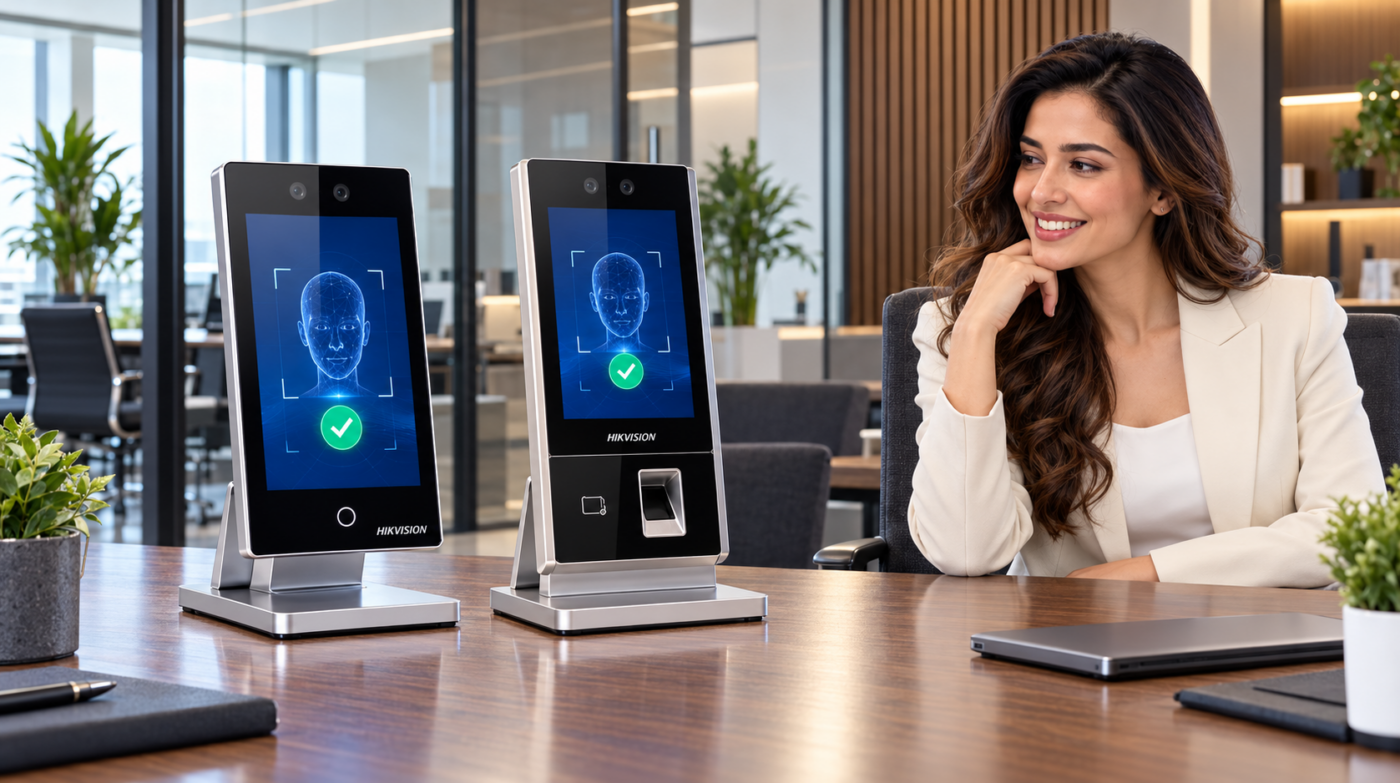
An office asking for an attendance machine may need one of two very different outcomes: a reliable record of staff check-in and check-out, or a system that also decides who can unlock a door. A terminal with a camera and card reader does not, by itself, define the complete solution.
Before comparing prices, write down the outcome you need at each entrance. This helps separate the terminal, reporting software, installation and door hardware into a quotation that can be checked properly.
Start with the action after successful verification
Attendance only: record the event
In an attendance-only arrangement, the main requirement is recording a person’s check-in or check-out. The door need not be connected to the terminal. Ask for a demonstration of the report you actually need, rather than relying on a successful face or fingerprint scan as proof that the reporting setup is complete.
Door access: control entry as well
A door-access requirement adds a different set of questions. Which people should enter, at which times, and through which doors? How will visitors be handled? What is the agreed method of leaving the room? The terminal must be assessed together with the door, compatible locking hardware, power supply and exit arrangements.
Do not treat a terminal purchase as a complete door installation unless the written scope explicitly includes those items. Door-release and emergency arrangements should be reviewed by a qualified installer with the responsible building team; do not improvise lock wiring.
Do not assume every terminal in a series has identical features
Manufacturer model suffixes matter. As one example, Hikvision’s official DS-K1T344EBWX-E1 page lists face, card and PIN authentication and an attendance-only function. That specification is for the named model—not a promise that every similarly named terminal includes fingerprint authentication or the same card technology.
If face, fingerprint, card and PIN are all required, list each method separately in your enquiry. Ask the supplier to confirm the exact model, hardware configuration and any optional module. If you already issue staff cards, identify their technology before ordering replacement readers or cards.
Specify the report, not just the number of employees
Prepare a short reporting checklist before the demonstration:
- How many employees and sites will use the system?
- Are shifts fixed, rotating or overnight?
- How should breaks and missed punches be reviewed?
- Who can approve a correction, and is a record of that correction required?
- What export format does your existing payroll process accept?
- Which software edition, licence and support items are included?
Ask to test one ordinary shift and one exception, such as a missed checkout. A raw door-entry event should not automatically be treated as a complete payroll result. Confirm the rules and review workflow with your attendance administrator.
Survey the location before selecting hardware
Indoor and exposed entrances need different checks
Send photographs of the proposed mounting position, surrounding light and door. Explain whether rain, dust or direct sun can reach the device. Ask for the exact model’s environmental rating and installation instructions; do not accept “weatherproof” as a complete specification.
Confirm power, network and door details
Identify available network points, the existing switch and power arrangements. Do not assume that every terminal accepts PoE or that terminal power also covers the lock. For access control, provide the number of doors, door material, opening direction and any existing lock or exit button. Let the installer confirm compatibility and scope.
Use a simple acceptance test before handover
Agree on a short test covering enrolment, approved entry, a rejected entry attempt and the planned exit method. For attendance, check a sample check-in/check-out pair and the resulting report. Confirm who will administer users, how departing staff will be removed and who can view attendance information.
Use demonstration records instead of sending employee biometric data in a quotation enquiry. Discuss enrolment and data handling through the approved installation process.
Request an attendance or access-control quotation in the UAE
Explore ZD Computer Trading’s attendance machines and access-control range. State clearly whether you need attendance only, door access only or both, together with the user count, number of doors and preferred verification methods.
Business enquiries: include company name, Trade License/TRN, full installation address and Google Maps location, plus contact name and mobile number. Home users do not need a Trade License; provide the contact and installation details instead.
For an existing faulty system, send the exact model, a clear error photograph and a safe one-minute fault video. Do not expose employee records, passwords or biometric enrolment screens. Hardware, software, availability, installation scope and price are confirmed in the written quotation.
WhatsApp: +971 50 886 3312
Office: +971 4 393 1778
Request an attendance and access-control quotation.
Frequently asked questions
Can an access terminal record attendance without unlocking a door?
Some models support attendance-only operation. Confirm the feature for the exact model and the proposed software configuration before ordering.
Does face recognition mean fingerprint support is included?
No. Check each required verification method against the exact model specification and any optional modules.
Are locks and exit buttons included with an attendance machine?
Do not assume so. Ask for separate line items and a clear list of included installation accessories.
Can I reuse existing staff cards?
Compatibility depends on the card technology and reader configuration. Have these identified before buying; matching the physical card size is not enough.
Manufacturer reference
Hikvision DS-K1T344EBWX-E1 official specifications — checked 1 November 2026. Confirm the supplied regional model and current documentation with the quotation.
