
Uncategorized
HP Printer Fuser Faults in Dubai & Sharjah: Smudging, Ghosting and Paper Wrinkles
Oct
Smudged pages can point to a fuser fault, but replacing the fuser isn’t always the right first step. When faded toner, faint duplicate images or wrinkled paper interrupt office work, an enquiry about HP printer fuser replacement in Dubai may seem straightforward. Similar print defects can have more than one cause, so symptoms alone don’t confirm which component needs attention.
It’s understandable to want a clear answer and a repair plan that limits disruption. This guide explains how a fuser affects print quality, which signs may indicate a problem, and what you can check safely before arranging service. It also covers the printer details that make a repair enquiry more useful.
You’ll learn how to describe the model, error message and visible fault when contacting a repair team in Dubai or Sharjah. With that information, ZD Computer Trading LLC can assess your HP printer repair enquiry with the relevant details from the start.
Key Takeaways
- The fuser bonds toner to paper using heat and pressure, but print defects alone don’t confirm it has failed.
- Smudging, ghosting and paper wrinkles can be clues. Toner, paper, settings or other printer parts may also be involved.
- For an HP printer fuser replacement Dubai enquiry, note the exact model and any displayed error before describing the fault.
- A clear photo or short video can help ZD Computer Trading LLC understand your HP printer repair enquiry in Dubai or Sharjah.
HP Printer Fuser Replacement in Dubai: What the Fuser Does and Why It Matters
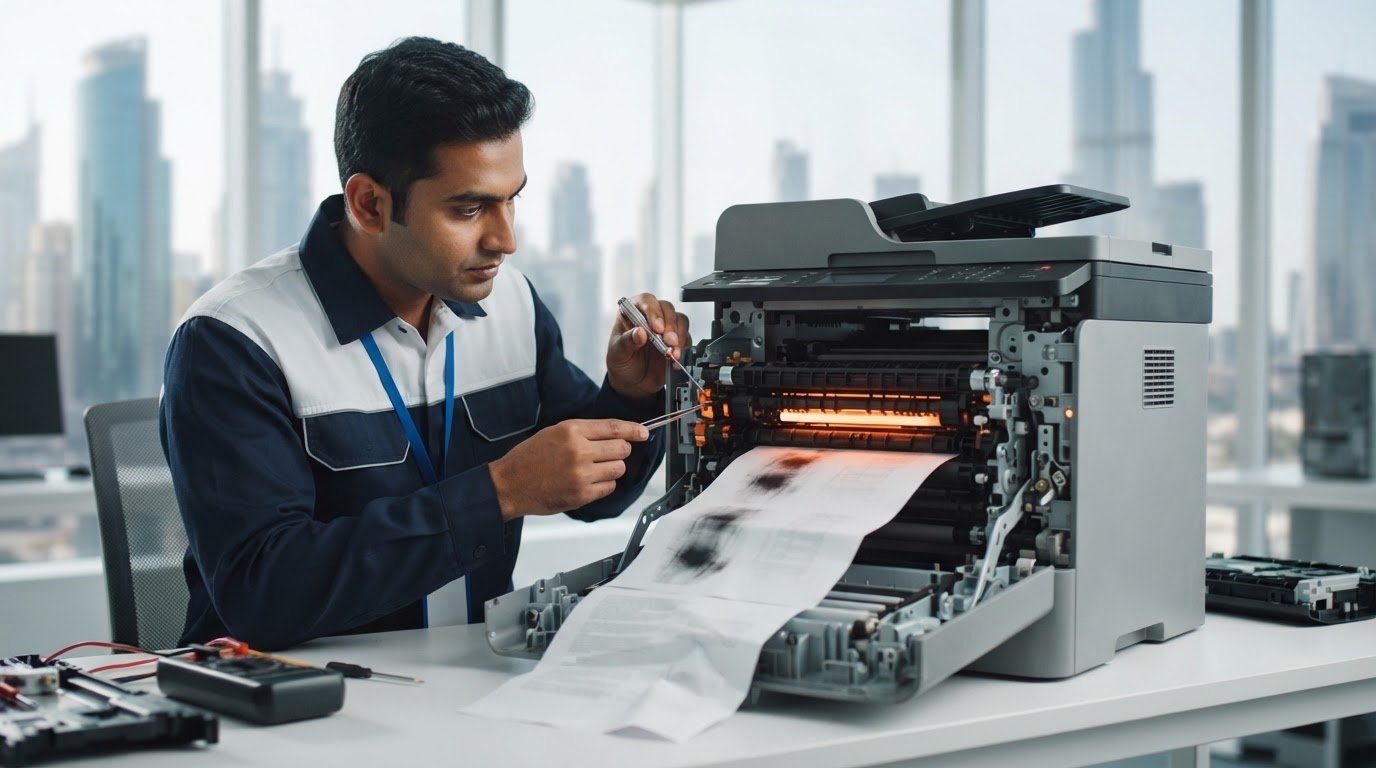
The fuser is the assembly in an HP laser printer that uses heat and pressure to bond toner powder to paper, making the printed image durable. It works near the end of the printing process, after toner has transferred onto the page. If the fuser isn’t working properly, pages may come out with defects or the printer may become unreliable. However, poor print quality alone doesn’t prove the fuser has failed. Toner, paper, print settings or another component can cause similar symptoms.
How an HP printer fuser works during printing
As paper moves through the printer, the fuser applies heat and pressure so loose toner adheres to the sheet instead of remaining as powder on its surface. This step helps produce clean, usable documents. The fuser operates hot, so don’t touch it or reach into the printer near this assembly while it’s warm. Follow the printer’s instructions before opening any access panels.
Why fuser condition matters to business printing
Consistent fusing helps keep pages legible for everyday office use, from internal records to documents shared with customers. If output becomes smudged or distorted, staff may need to reprint pages, and recurring interruptions can disrupt routine work. These signs are reasons to investigate, not a diagnosis or an automatic instruction to replace the fuser.
Before arranging an HP printer fuser replacement Dubai enquiry, record the exact printer model and note what the page looks like or any error displayed. These details help describe the issue for model-specific HP printer repair in Dubai or Sharjah. For printer parts and related items, see printer accessories in Dubai.
HP Printer Fuser Fault Symptoms: Smudging, Ghosting and Paper Wrinkles
Print symptoms can suggest a fuser issue, but they can’t confirm it on their own. The pattern and persistence of the defect can help describe what’s happening, while toner, paper, print settings or other printer parts may create similar results. Treat the signs below as clues for an assessment, not a diagnosis.
What common fuser-related print defects can look like
Look at the printed page and note whether the issue appears consistently or changes between jobs. A close-up photo can help document the pattern.
Smudging or toner that rubs off: Toner may not be bonding properly, but toner condition or other causes can also affect the print. Record whether the marks appear across the page or in one area.
Ghosting: A faint copy of earlier text or an image appears on the same sheet. Note where it appears and whether it recurs on later pages.
Wrinkled or creased paper: The sheet exits folded or distorted. A fuser-area issue is one possibility. Paper condition or another part of the paper path may also be involved.
When to stop printing and arrange an assessment
If an error persists or the output continues to worsen, pause printing and record the exact message or code. Avoid touching internal components, which may remain hot, and don’t dismantle the printer. A technician can assess the symptoms alongside the model and error information.
For businesses considering HP printer fuser replacement Dubai, describe the fault clearly rather than assuming the fuser is responsible. Note the details that can help identify the pattern:
- Smudging: note whether toner appears loose or marks are localized.
- Ghosting: capture the faint repeated image and its position.
- Wrinkles: photograph the sheet and note where it jams or creases, if applicable.
For an HP printer fault assessment in Dubai or Sharjah, share the model and a clear photo or short video through ZD Computer Trading LLC’s repair enquiry page. The assessment helps determine the cause and appropriate next step.
What to Do Before Requesting HP Printer Fuser Repair
A few details can make a repair enquiry clearer and help explain what the printer is doing. They won’t confirm that the fuser is at fault, but they give the repair team useful context before assessing the issue.
Information to prepare for a repair enquiry
Before contacting a technician, gather the printer’s exact model, any displayed error message or code, and a clear record of the print defect. Note when it happens, such as on every page, after a particular print job, or only with a certain paper type. Include a clear photo or short video showing the output or error on the display.
- Model: Record the full model name from the printer label or display.
- Error: Copy the message or code exactly as shown.
- Fault evidence: Photograph the page in good light, or record a short video if the issue is intermittent.
These details support a model-specific HP printer repair enquiry in Dubai or Sharjah. For a business quotation or visit, also send your Trade License and TRN details, complete address including building and office number, Google Maps location, contact person’s name and working mobile number. ZD Computer Trading LLC also supplies printer spare parts, which may be relevant once the fault has been assessed.
Safe checks that do not require opening the printer
Use the printer’s normal controls to check that the selected paper type and print settings match the paper loaded. Check that the paper is loaded correctly, following the printer’s instructions. Avoid opening the printer to inspect the fuser or other internal parts. Components can remain hot after printing, so don’t touch them.
If the error persists or the defect continues, share the model, error details and photo or video when requesting an HP printer fuser replacement Dubai assessment. This explains the problem without assuming which component needs attention.
Arrange HP Printer Fuser Replacement in Dubai or Sharjah
ZD Computer Trading LLC provides HP printer repair for business customers in Dubai and Sharjah. If smudging, ghosting, wrinkled pages or a printer error has interrupted office work, share the exact model and clear evidence of the fault. These details help describe the issue, but they don’t establish the cause or confirm that a fuser replacement is required.
What happens after you send the printer details
ZD uses the model information, error message and a clear photo or short video to understand the reported symptoms. The repair scope and any replacement decision depend on assessment of the printer. A symptom that resembles a fuser fault may have another cause, so the appropriate next step depends on the specific machine and issue.
For more information, read about printer repair and maintenance or visit the HP printer repair service page. This can help you prepare for a model-specific HP printer fuser replacement Dubai enquiry without assuming the repair outcome in advance.
Contact ZD Computer Trading LLC in Dubai or Sharjah
For a repair enquiry, include the exact HP printer model, describe when the fault occurs, and attach a clear photo or short video showing the output or displayed error. A concise record helps explain the issue and supports a focused discussion about the printer.
Contact ZD Computer Trading LLC on mobile/WhatsApp at +971 50 886 3312 or the office landline at +971 4 393 1778 to discuss HP printer repair in Dubai or Sharjah.
Take the Next Step Toward Reliable HP Printing
Smudging, ghosting and wrinkled pages can point to a fuser-related issue, but they don’t prove the fuser has failed. Paper, toner, settings or another printer component may also affect output, so don’t decide on a replacement based on symptoms alone.
For an HP printer fuser replacement Dubai enquiry, note the exact printer model, record any displayed error and capture the defect in a clear photo or short video. These details help describe the problem and support a focused repair enquiry.
ZD Computer Trading LLC provides HP printer repair and spare-parts services for business customers in Dubai and Sharjah. An assessment helps identify the likely cause and appropriate repair steps.
Contact ZD on mobile/WhatsApp at +971 50 886 3312 or the office landline at +971 4 393 1778 to discuss your HP printer repair enquiry.
Request a Service Quote
With the model and fault details ready, you can move toward a practical next step for your office printer.
Frequently Asked Questions
What does an HP printer fuser do?
An HP laser printer’s fuser uses heat and pressure to bond toner to paper, helping the printed text and images stay in place. It works near the end of the printing process. If the fuser isn’t working correctly, print quality or printer operation may be affected, but the symptoms need assessment to identify the cause.
Can smudging or ghosting mean an HP printer needs a fuser replacement?
Smudging or ghosting can be signs of a possible fuser issue, but they don’t prove the fuser has failed. Toner, paper, print settings or another printer component may cause similar defects. Note whether the problem repeats, check for an error message, and document the output. A printer assessment can help determine the cause and next step.
Is it safe to replace an HP printer fuser yourself?
It’s safer not to open the printer or attempt a fuser replacement unless you’re following appropriate model-specific instructions and have the necessary repair expertise. The fuser operates at high temperatures and may remain hot after printing. Avoid touching internal components. For business equipment, arrange a printer assessment rather than dismantling the machine, especially if an error persists or print defects worsen.
What information should I provide when requesting HP printer fuser repair in Dubai?
Provide the exact HP printer model, any displayed error message or code, and a clear photo or short video of the defect. Describe when it occurs, such as during every print job or only with a particular paper type. For an HP printer fuser replacement Dubai enquiry, these details help explain the fault but don’t confirm the cause or repair required.
Can I arrange HP printer repair in Sharjah through ZD Computer Trading LLC?
Yes. ZD Computer Trading LLC provides HP printer repair for business customers in Sharjah and Dubai. For an enquiry, share the exact printer model and a clear photo or short video showing the issue, along with any displayed error. Contact ZD on mobile/WhatsApp at +971 50 886 3312 or the office landline at +971 4 393 1778 to discuss the reported fault.
Service information
This article provides general information. Diagnosis, parts availability, pricing, warranty and repair options depend on the device model, condition, inspection findings and service location. Contact ZD Computer Trading LLC for a confirmed assessment and quotation.
