
Uncategorized
Photocopier Workflow Automation: 2026 UAE Guide
Aug
The office photocopier is no longer just a peripheral for making paper copies; it’s the primary digital bridge for your entire business ecosystem. If your team still spends hours manually filing documents or correcting data entry errors, then your hardware isn’t working as hard as it should. Achieving seamless workflow automation with photocopiers is the most effective way to turn a standard multifunction printer into an intelligent gateway that handles your data with precision. Many UAE businesses struggle with the high costs of new automated hardware or the difficulty of integrating legacy machines with modern cloud software.
We understand these challenges and the need for consistent operational uptime in a fast-paced market. You’ll discover how to transform your setup into a powerful tool that automates invoice and contract routing while significantly reducing your physical storage needs. This 2026 guide provides a methodical approach to lowering operational costs through efficient hardware use, including the strategic adoption of refurbished digital photocopiers. We’ll preview the latest integration techniques and compliance standards to ensure your office stays ahead. By the end of this article, you’ll have a clear roadmap to bridge the gap between your physical documents and your digital workspace.
Key Takeaways
- Learn how to convert your multifunction printer from a simple peripheral into an intelligent digital on-ramp that automates document routing across your entire office.
- Identify the essential hardware features, such as high-capacity document feeders and integrated OCR software, required to transform physical papers into searchable digital files.
- Discover why refurbished enterprise models provide the most cost-effective path toward high-level workflow automation with photocopiers without requiring the investment of brand-new hardware.
- Explore the technical synergy between your photocopier, IP phone systems, and attendance databases to build a unified and highly efficient digital ecosystem.
- Understand how to select tailored hardware and flexible rental models that match your specific business volume to ensure consistent operational uptime throughout the UAE.
What is Workflow Automation with Photocopiers?
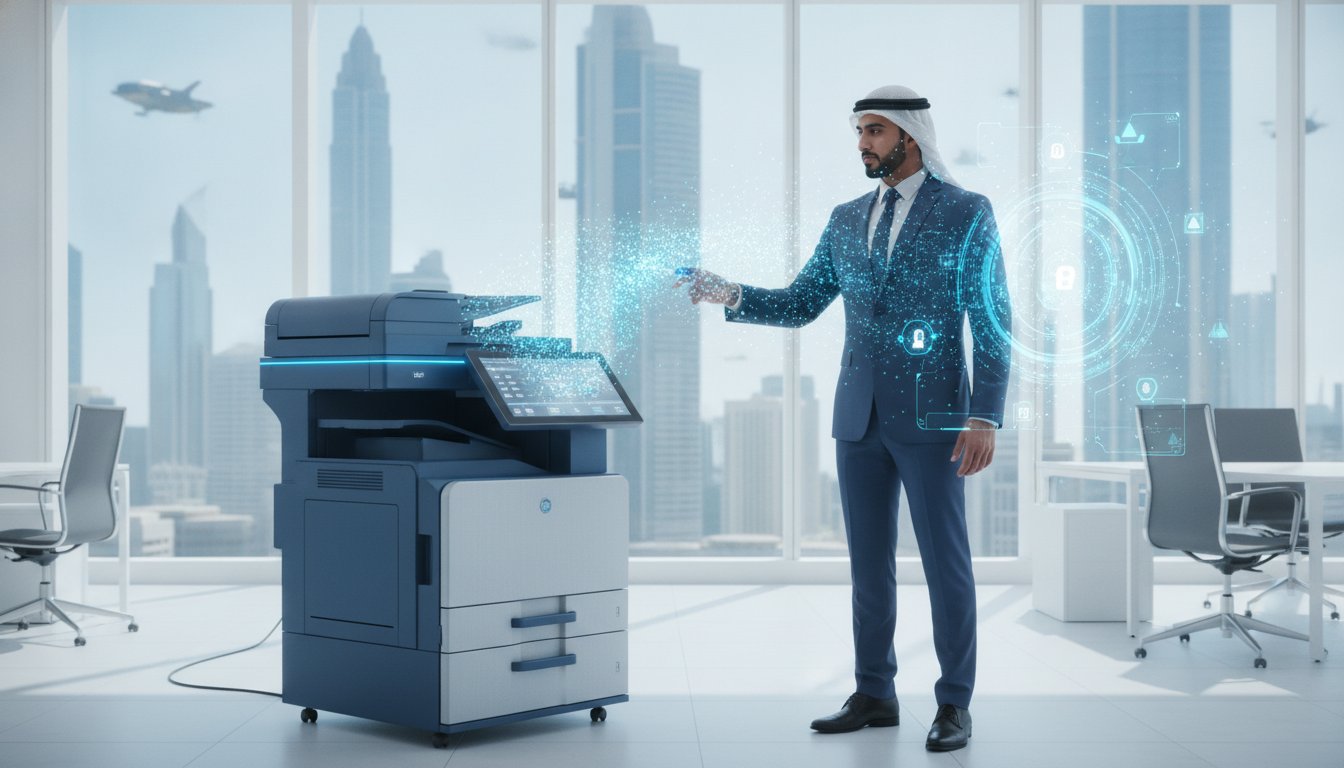
Modern Multifunction Printers (MFPs) have evolved into the critical “first mile” of digital transformation. They act as a digital on-ramp, converting physical paper into structured data that flows directly into your business systems. In 2026, UAE businesses are moving beyond simple copying to prioritize intelligent document routing. This shift is driven by the need for faster response times and higher accuracy in a competitive national market. Implementing workflow automation with photocopiers allows a device to recognize a document type and send it to the correct department without human intervention.
The Anatomy of an Automated Document Workflow
A successful automation strategy relies on a three-stage architecture that ensures data integrity from the moment a page touches the glass. This technology functions as the physical entry point for a broader workflow management system, ensuring that paper-based data enters the digital environment without friction. If a document is scanned with integrated OCR software, then it becomes a searchable asset rather than a flat, unindexed image.
- Capture: High-speed scanning combined with Optical Character Recognition (OCR) translates printed text into editable, searchable formats like PDF or Word.
- Process: The system automatically extracts key metadata, such as invoice numbers or contract dates, and applies standardized naming conventions to the files.
- Route: Documents are delivered instantly to specific cloud storage folders, email addresses, or ERP systems based on predefined business rules.
Why Manual Paper Processes are Costing Your Business
Relying on manual filing is a significant drain on resources that many organizations overlook. If your staff spends hours every week searching for misfiled contracts or manually typing data from paper invoices, then your operational costs are unnecessarily high. These hidden labor costs reduce profitability and distract your team from higher-value tasks. Accuracy is another major concern; manual entry is prone to human error, which can lead to payment delays or incorrect record-keeping in HR departments.
Beyond efficiency, paper-heavy offices face substantial risks. Under the UAE Personal Data Protection Law (PDPL), data breaches can result in administrative penalties reaching up to AED 5,000,000. Physical documents are harder to track, easier to lose, and difficult to secure against unauthorized access. Transitioning to an automated system ensures that every document is encrypted and logged. By utilizing high-quality refurbished digital photocopiers, businesses can implement these sophisticated security and routing features without the heavy capital expenditure of new hardware.
Core Features of Automation-Ready Photocopiers
Hardware serves as the physical engine for workflow automation with photocopiers. While many businesses focus solely on software, the specific features of your hardware determine the efficiency and reliability of your data capture. A high-capacity Automatic Document Feeder (ADF) is essential for bulk processing, as it allows your team to scan large document batches without manual intervention. Security is another critical hardware component. User authentication via RFID ensures that sensitive documents are only released to authorized personnel, preventing data leaks at the device level. Professional organizations often look to established management frameworks, such as Columbia University’s photocopier policies, to understand the importance of securing multi-functional devices in a shared environment.
Compatibility with standard office networking protocols is a non-negotiable requirement for a unified ecosystem. Modern machines feature one-touch buttons that trigger complex, multi-step actions with a single press. These “Scan-to-Cloud” shortcuts eliminate the need for employees to navigate complicated menus, making the transition to digital archiving much faster. By selecting hardware that bridges the gap between physical paper and digital storage, you create a more resilient office structure that isn’t slowed down by manual filing tasks.
The Power of Optical Character Recognition (OCR)
Optical Character Recognition (OCR) is the backbone of digital searchability. This technology turns scanned images into editable and searchable data, allowing your system to understand the content of every page. Instead of saving a document as a static image, OCR creates files where text can be highlighted, copied, and indexed by search engines. This capability significantly reduces manual data entry for invoices and contracts, as key information can be extracted and filed automatically. It’s a vital tool for any business looking to maintain accurate records without increasing administrative headcount.
Cloud Integration and Remote Access
Direct integration with platforms like Google Drive, OneDrive, and SharePoint allows your photocopier to act as a portal to your digital archives. This connectivity enables remote teams to access digitized documents instantly, regardless of their location across the UAE. For these cloud-based workflows to function at peak performance, your office infrastructure must be robust. It’s essential that your network installation for office UAE supports high-speed data transfer to prevent bottlenecks during large scan jobs. If you’re ready to modernize your document handling, choosing a partner like ZD Computer Trading LLC ensures your hardware and networking are perfectly synchronized for maximum uptime.
Refurbished vs. New: Choosing the Right Hardware for Automation
A common misconception in the office equipment industry is that high-level workflow automation with photocopiers requires the latest, most expensive models on the market. In reality, the core technologies needed for intelligent document routing—such as high-speed processors, advanced sensors, and network-ready controllers—have been standard in enterprise-grade machines for several years. Choosing refurbished enterprise models allows businesses to access these premium features at a fraction of the cost of brand-new hardware. This approach provides a significant competitive advantage in the UAE market, where balancing operational excellence with cost-efficiency is a top priority for growing organizations.
When evaluating hardware for a digital ecosystem, the duty cycle and built-in features are more important than the manufacture date. Enterprise-class machines are designed for heavy workloads, often featuring monthly duty cycles of up to 80,000 pages. These robust units are built with durable internal components that, when professionally restored, provide the same level of reliability as a new machine. By opting for a high-performance refurbished unit, you can invest in a device with a faster Automatic Document Feeder (ADF) or a more intuitive touchscreen interface than a budget-friendly new model would offer.
The Business Case for Refurbished Photocopiers
If you aim to maximize your return on investment, then the business case for pre-owned professional gear is clear. A refurbished Canon photocopier UAE provides the exact same OCR and cloud-routing capabilities as its 2026 counterparts but requires a much lower initial capital outlay. This strategic choice allows you to allocate your IT budget toward other critical areas, such as upgrading your networking infrastructure or IP phone systems. Professional refurbishing processes ensure that every machine is updated to meet original manufacturer standards, ensuring consistent uptime and long-term performance for your office.
Key Maintenance Requirements for Automated Systems
The success of an automated strategy depends on the physical health of your hardware. If rollers become worn or sensors get dusty, the resulting paper jams and scan errors will disrupt your digital workflow and decrease OCR accuracy. Regular printer repair and scheduled preventative maintenance are essential to keep your software and hardware in perfect sync. Additionally, keeping your firmware updated is critical for security; these updates ensure your device remains compatible with modern cloud protocols and protects your data against emerging digital threats. Partnering with a seasoned local expert ensures that your hardware remains a reliable gateway for your business data.
Designing a Unified Office Ecosystem
A truly efficient office doesn’t treat hardware as a collection of isolated tools. Instead, it builds a unified digital environment where every device communicates to streamline daily operations. Achieving high-level workflow automation with photocopiers requires more than just a high-speed scanner; it necessitates a robust networking foundation that links your printer to your IP phone systems and security infrastructure. When these systems are synchronized, a document scanned at the photocopier can trigger an automated notification through your VoIP network or be routed directly to a specific department’s digital inbox without any manual intervention.
Synergy with IP Telephony and Networking
Modern office networking must be engineered to support the heavy data traffic generated by high-resolution scanning and bulk document processing. If your Wi-Fi access points aren’t optimized for high-speed data transfer, your automation efforts will face significant bottlenecks. Integrating your photocopier with an IP phone system allows for advanced fax-to-email workflows. This setup ensures that incoming faxes are converted to digital files and delivered instantly to the recipient’s email, which eliminates the need for physical paper handling. It’s a practical way to ensure your team remains connected and productive throughout the UAE.
Security and Access Control in the Automated Office
Security is a paramount concern when sensitive documents are moving through a digital network. By linking your photocopier logs with a fingerprint vs face recognition attendance system, you can ensure that only authorized personnel access specific scanning and printing functions. This integration provides a clear audit trail of who processed which document and at what time. To further protect these physical data hubs, you should adhere to established business CCTV network requirements UAE standards. Integrated CCTV monitoring provides an extra layer of protection, ensuring the hardware itself is secure from unauthorized physical access.
Implementing a secure print release system is another vital step in protecting your business data. This feature holds a print job in a virtual queue until the user authenticates themselves at the device with their credentials or an RFID card. It prevents sensitive contracts or payroll documents from sitting in an open tray where they could be viewed by unauthorized staff. If you’re looking to build a secure and fully integrated office environment, you can consult with ZD Computer Trading LLC to design a solution that perfectly fits your specific operational requirements.
Implementing Your Workflow Strategy with ZD Computer Trading LLC
Successful execution of a digital transformation plan requires more than just high-spec hardware; it demands a partnership with a provider that understands technical integration and local operational requirements. ZD Computer Trading LLC specializes in aligning your hardware capabilities with your specific business volume and document processing goals. By offering a diverse inventory that includes HP, Canon, and Xerox, we ensure that your office is equipped with tools that are fit for purpose rather than a one-size-fits-all solution. Our team provides comprehensive technical oversight, from initial networking setup to the final configuration of your automated pathways.
If your organization requires a flexible approach to hardware procurement, then our photocopier rental services provide a risk-free method for testing automation features. These rental models allow you to evaluate the impact of automated document routing on your productivity before committing to a long-term purchase. This steady, informative approach to procurement ensures that every investment you make is grounded in factual performance data and actual office needs.
Managed Print and Automation Services
Our managed services begin with a detailed analysis of your existing document traffic to identify where manual intervention causes delays. We don’t just deliver a machine; we configure the entire pathway for your digital documents. This includes the professional setup of scan-to-cloud destinations and OCR pathways that integrate directly with your existing file structures. By customizing the rental or purchase agreement to your specific business volume, we ensure that you aren’t paying for unused capacity while maintaining the power needed for workflow automation with photocopiers.
Expert Repair and Technical Support
Maintaining consistent uptime is vital for any automated environment, as a single hardware failure can disrupt your entire data entry pipeline. ZD Computer Trading LLC provides authorized repair services for HP and Canon devices, ensuring that any technical challenges are resolved by seasoned industry professionals. We implement structured preventative maintenance schedules to keep your sensors and rollers in peak condition, which is essential for the accuracy of your digital capture. With our national UAE service coverage, you can be confident that expert assistance is always available to maintain your high operational standards. To begin optimizing your office, contact ZD Computer Trading LLC for a workflow consultation today.
Secure Your Business Future with Intelligent Document Systems
Transitioning away from manual paper processes is a strategic necessity for any organization aiming to maintain a competitive edge. You’ve seen how modern hardware acts as a digital gateway, transforming physical documents into searchable, routed data with precision. Embracing workflow automation with photocopiers doesn’t require the massive capital expenditure of brand-new equipment. By choosing high-performance refurbished enterprise-grade hardware, you can achieve premium automation results while significantly lowering your operational costs.
Maintaining these systems requires a dependable partner who understands the local business landscape. We provide authorized technical support for HP and Canon, ensuring your hardware remains synchronized with your digital archives. With our national UAE service coverage, you can rely on consistent uptime and expert maintenance for your entire office ecosystem. If you’re ready to eliminate manual filing errors and streamline your document routing, Get a Professional Photocopier and Automation Quote from our team today. Taking the first step toward a unified digital workspace will provide the peace of mind your business deserves.
Frequently Asked Questions
Can any photocopier be used for workflow automation?
No, you need a multifunction printer with advanced scanning capabilities and network connectivity. Basic standalone copiers lack the processing power and software integration required to route documents to the cloud or ERP systems. If your current hardware doesn’t support standard protocols or high-speed data capture, then it cannot function as a digital gateway. Modern enterprise models are specifically designed to bridge this gap and handle complex data routing.
Do I need special software to start automating my documents?
Yes, you typically require an integrated software suite that manages document capture, processing, and routing. While many high-end photocopiers come with built-in basic automation features, complex tasks like automatic naming and specific department routing often require external software integration. These systems ensure that your hardware communicates effectively with your existing digital file structures and cloud storage platforms, providing a seamless experience for your entire team.
Is it better to rent or buy a photocopier for office automation?
Renting is often the more cost-effective choice for UAE businesses looking to test and scale their automation strategies. Rental agreements allow you to access premium, automation-ready hardware without a large initial capital expenditure. It’s especially beneficial for growing teams because it provides the flexibility to upgrade your equipment as your document volume increases. This ensures your workflow automation with photocopiers remains efficient and up to date without long-term hardware obsolescence.
How does OCR technology improve office productivity?
OCR technology eliminates the need for manual data entry by converting scanned images into searchable and editable text. This allows your team to find specific information within seconds rather than manually searching through physical files. By automating the extraction of invoice numbers or contract dates, you reduce human error and free up your staff to focus on higher-value tasks. This significantly boosts overall operational efficiency and speeds up document-heavy administrative processes.
Is automated document scanning secure for sensitive information?
Yes, automated scanning is highly secure when implemented with features like user authentication and encrypted data transfer. By requiring an RFID card or login credentials at the device, you ensure that sensitive documents are only processed by authorized personnel. This creates a clear audit trail and prevents data leaks. It also helps your organization comply with the UAE Personal Data Protection Law regarding the secure handling of sensitive business and client information.
Can refurbished photocopiers handle high-volume automation tasks?
Absolutely, refurbished enterprise-grade photocopiers are built for durability and can easily manage high-volume workloads. These machines often feature monthly duty cycles of up to 80,000 pages and high-speed processors that handle complex routing tasks without slowing down. When professionally restored, they offer the same level of performance as new models. This makes them a strategic choice for businesses seeking reliable workflow automation with photocopiers while maintaining a strict budget for office equipment.
How does Wi-Fi networking affect photocopier automation performance?
Wi-Fi networking is the backbone of mobile-to-print and cloud-based automation, so its performance directly impacts your speed. If your access points are outdated or have low bandwidth, high-resolution scans will cause bottlenecks and slow down your entire digital pipeline. Ensuring your office has a robust networking installation is critical for maintaining consistent data transfer speeds. This prevents frustrating delays when routing large document batches to remote servers or shared cloud folders.
What is the role of a multifunction printer in a paperless office?
In a paperless office, the multifunction printer acts as the primary digital on-ramp for any remaining physical paperwork. It serves as the bridge that converts inevitable paper documents, such as signed contracts or incoming mail, into digital assets. Instead of storing paper, the device scans, indexes, and routes information directly into your digital archive. This ensures that your office remains organized, searchable, and free of physical clutter while maintaining a digital-first environment.
