
Uncategorized
Business Server Installation and Configuration in Dubai & Sharjah
Sep
Key Takeaways
- Start with the workload: Server hardware, storage and software should be selected after reviewing users, applications, data growth, access needs and the existing office network.
- Choose the format for the site: Tower and rack servers can both be suitable. The right option depends on available space, ventilation, security, expansion plans and the equipment already installed.
- Treat resilience as a design decision: RAID, redundant power, UPS protection, virtualisation, network segmentation and off-site backup are options to assess. They are not universal requirements.
- Separate RAID from backup: RAID may help a system continue operating after certain drive failures, but it does not replace an independent, tested backup.
- Confirm the scope before purchase: Installation time, licensing, migration work, support coverage and price depend on the approved design and the findings of a site assessment.
Table of Contents
- Planning a Business Server
- Tower or Rack Server?
- Storage, RAID and Backup
- Physical Installation and Cabling
- Configuration, Access and Security
- Migration, Testing and Handover
- Server Support in Dubai and Sharjah
- Frequently Asked Questions
A business server can centralise files, applications, user access and selected office services, but the best design is different for every organisation. A small trading office, a growing professional firm and a business running a specialised database may need very different hardware and configurations. That is why a reliable server installation Dubai project should begin with discovery rather than a fixed equipment list.
ZD Computer Trading LLC supports businesses in Dubai and Sharjah with site assessment, suitable server supply, tower or rack installation, physical setup, structured cabling, operating-system and user-access configuration where required, migration planning, backup verification, testing, handover and AMC support. The final design, schedule and quotation are confirmed only after the workload, site and approved scope have been reviewed.
Planning a Business Server Around the Workload
The first step is to understand what the server will do. It may be intended for shared files, accounting or ERP data, user authentication, virtual machines, application hosting, backup storage or a combination of roles. Each role affects processor, memory, storage, network and licensing decisions. Current usage matters, but realistic growth and any planned software changes should also be discussed.
A practical assessment normally considers:
- the business applications and their vendor requirements;
- the number of users and expected simultaneous activity;
- current data volume, backup size and likely growth;
- local, branch and authorised remote-access needs;
- required operating system, application and access licences;
- existing switches, firewall, internet connection, cabling and power;
- acceptable downtime and the business priority of each service; and
- available space, cooling, physical security and maintenance access.
Hardware should not be sized from employee count alone. A few users working with a demanding database can require more resources than a larger team using basic file shares. Application documentation and the software provider’s guidance should be checked where available. The proposed specification can then balance present demand, sensible headroom, budget and future expansion without relying on a fixed life-cycle promise.
Tower or Rack Server?
A tower server can suit an office that needs a standalone system and does not have a full-size data rack. A rack server can be a better fit where switches, patch panels, firewalls and other equipment are already organised in a secure cabinet. Neither format is automatically better.
The decision should account for floor or rack space, noise, airflow, cable management, physical access, available rack depth, rail compatibility, power capacity and expansion needs. Some tower systems are designed for office environments, while rack servers may use faster fans and need a suitable equipment area. The exact acoustic and cooling characteristics should be checked against the selected model rather than assumed from the form factor.
If a rack is proposed, the site visit should confirm usable rack units, cabinet depth, weight support, front-to-rear airflow, power distribution and clear service access. Heavy equipment should be installed according to the rack and equipment manufacturers’ instructions.
Office network installation guide: related planning for switches, patching and office connectivity.
Storage, RAID and Backup
Storage design depends on capacity, application performance, recovery needs and budget. Drive type, controller support, usable capacity and replacement availability should all be reviewed. RAID may be selected to reduce the impact of certain drive failures, but the appropriate level depends on the workload and the server platform.
- RAID 1 mirrors data across two drives and may suit selected smaller volumes.
- RAID 5 or RAID 6 uses parity across several drives, with different capacity, performance and fault-tolerance trade-offs.
- RAID 10 combines mirroring and striping and may suit workloads where performance and drive redundancy are priorities.
These are design options, not a universal prescription. Array rebuild time, drive size, controller features and workload behaviour should be considered before a level is chosen. No RAID arrangement protects against every risk.
RAID is not a backup. It does not by itself protect against accidental deletion, corrupted files, ransomware, stolen equipment or a site-level incident. A separate backup design should define what is copied, where copies are stored, how long they are retained, who can access them and how recovery will be tested. Off-site or cloud copies may be included when appropriate, subject to the business’s security, connectivity and compliance requirements. Backup success messages should be supported by periodic recovery checks agreed with the customer.
Physical Installation, Power and Cabling
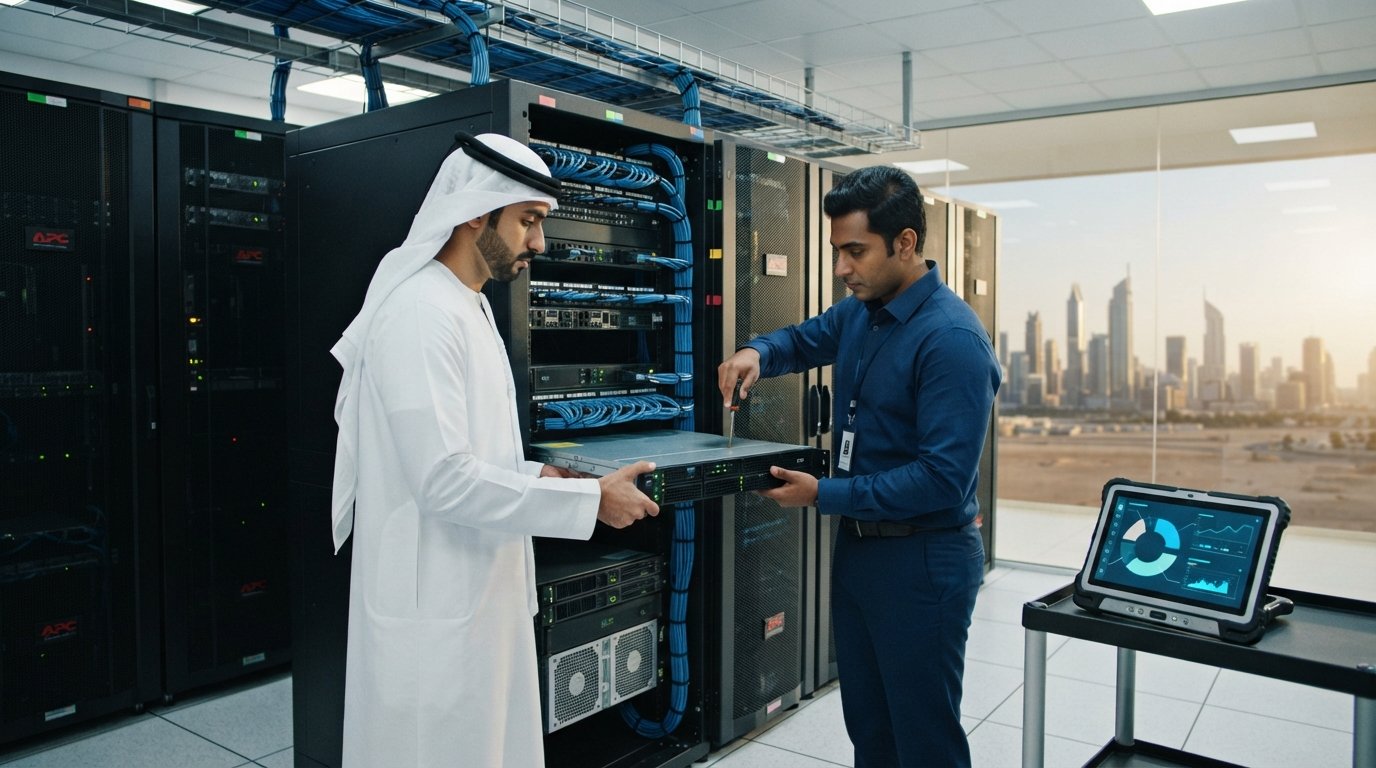
Physical installation begins with the selected equipment and the actual site. For a rack deployment, technicians can fit compatible rails, mount the server, arrange power leads and label network connections. For a tower installation, the system needs a stable, secure and ventilated position with enough clearance for airflow and servicing. Equipment should not be placed where it is exposed to liquids, direct sunlight, uncontrolled dust or accidental access.
A UPS can provide temporary battery power and help the system shut down in an orderly way when configured for that purpose. UPS capacity and expected runtime depend on the connected load, battery condition and shutdown plan. Redundant power supplies and separate power paths can also be assessed where the hardware and site support them, but they do not remove the need for a wider continuity plan.
Cooling should be based on equipment output, room conditions, operating hours and the manufacturer’s environmental requirements. A dedicated cooling solution may be appropriate for some server rooms, while other installations may be adequately served by the building system. This cannot be decided from the city or building type alone; it needs a site-specific check.
Structured cabling should be routed and labelled so technicians can identify connections without disturbing unrelated services. Cable category, patch-panel design, switch ports, uplinks and any fibre links should match the network plan. Certification or test reports can be included only when they are part of the agreed cabling scope.
Operating-System Configuration, Access and Security
After the physical setup, the configuration can include firmware review, storage creation, operating-system installation, updates, network settings, server roles and user permissions. The exact tasks depend on the approved scope and on valid software licences supplied or purchased for the project.
Virtualisation can separate server roles and simplify some management or migration tasks, but it adds design, licensing, backup and resource considerations. A direct operating-system installation may be more appropriate for another workload. The choice should follow application support requirements and the customer’s operational needs.
Where central identity management is required, user accounts, groups and access permissions can be arranged around job responsibilities. Administrative access should be limited to authorised personnel. Remote management, if approved, should be protected through suitable controls rather than exposed broadly to the internet.
Network segmentation, separate management interfaces and firewall rules may reduce unnecessary access between systems when correctly designed. The required controls depend on the existing firewall, managed switches, applications and support model. No single configuration guarantees protection, so updates, monitoring, account management and staff practices remain important after installation.
Business network security guide: related planning for segmentation, firewalls and access.
Migration, Testing and Handover
Migration should be planned before business data is moved. The plan can identify source systems, application dependencies, data owners, backup status, validation steps, a maintenance window and a rollback approach. Data should not be assumed to be usable merely because a copy operation completed; the relevant application owner or authorised user should validate access and sample records.
Testing may include hardware health, storage status, network connectivity, user permissions, application access, printing or shared-resource access where included, backup jobs and a sample recovery. The specific tests should reflect the scope. Results, outstanding items and customer responsibilities should be recorded during handover.
Installation time cannot be confirmed from a generic article. It changes with equipment availability, site readiness, rack and cabling work, licence access, data volume, application-vendor involvement and the permitted service window. A small physical installation and a multi-system migration are not equivalent projects. ZD Computer Trading LLC confirms the working plan after assessment and before the customer approves the job.
Server Installation and AMC Support in Dubai and Sharjah
ZD Computer Trading LLC can support the agreed stages of a server installation Dubai or Sharjah project: assessment, suitable hardware supply, tower or rack installation, physical setup, cabling, required operating-system and user-access configuration, migration planning, backup verification, testing and handover.
Ongoing AMC support can be scoped around the installed equipment and the customer’s needs. Possible tasks include scheduled health checks, review of hardware alerts, storage status, selected firmware or operating-system items, UPS observations, backup verification and physical inspection. Visit frequency, response arrangements, exclusions, parts, software support and after-hours coverage must be written into the quotation or contract; they should not be assumed from the term AMC.
Frequently Asked Questions
How long does a business server installation take?
There is no single standard duration. Site readiness, hardware availability, rack and cabling work, licences, configuration, data volume, application dependencies and the approved maintenance window all affect the schedule. A project plan can be issued after assessment.
Does every small office need a dedicated server room?
No. The answer depends on the equipment, heat output, available secure space, noise, operating hours and environmental conditions. Some offices may use a suitable tower location or compact cabinet; others need a dedicated equipment room. The proposed location should be checked before installation.
Is RAID enough to protect business data?
No. RAID can help with selected drive-failure scenarios, depending on its design, but it is not an independent backup. Businesses should maintain a separate backup and test recovery according to an agreed plan.
Should we choose an on-premises server or cloud services?
The right choice depends on the applications, connectivity, data access, control requirements, budget, licensing, support resources and recovery plan. Some businesses use an on-premises server, some use cloud services, and others use a hybrid design. These options should be compared against the actual workload.
Can an existing server be migrated with no downtime?
Downtime cannot be ruled out without assessing the systems involved. Some services may support staged migration, replication or a short cutover, while others require a defined outage. The migration plan should state the expected impact, validation steps and rollback approach.
What should a server quotation include?
It should clearly identify the hardware, warranty, licences, installation tasks, cabling or rack work, migration responsibilities, backup scope, testing, documentation, support terms, exclusions, price and any dependencies on third parties or site readiness.
Discuss Your Server Requirements
Contact ZD Computer Trading LLC to discuss business server planning, supply, installation, configuration or AMC support in Dubai and Sharjah.
Direct Mobile / WhatsApp: +971 50 886 3312 | Office Landline: 04 393 1778 (+971 4 393 1778)
Service information
This article provides general information. Diagnosis, parts availability, pricing, warranty and repair options depend on the device model, condition, inspection findings and service location. Contact ZD Computer Trading LLC for a confirmed assessment and quotation.
