
Innovative Computer & IT Services
Server Backup for UAE Offices: Why a Test Restore Matters
Nov
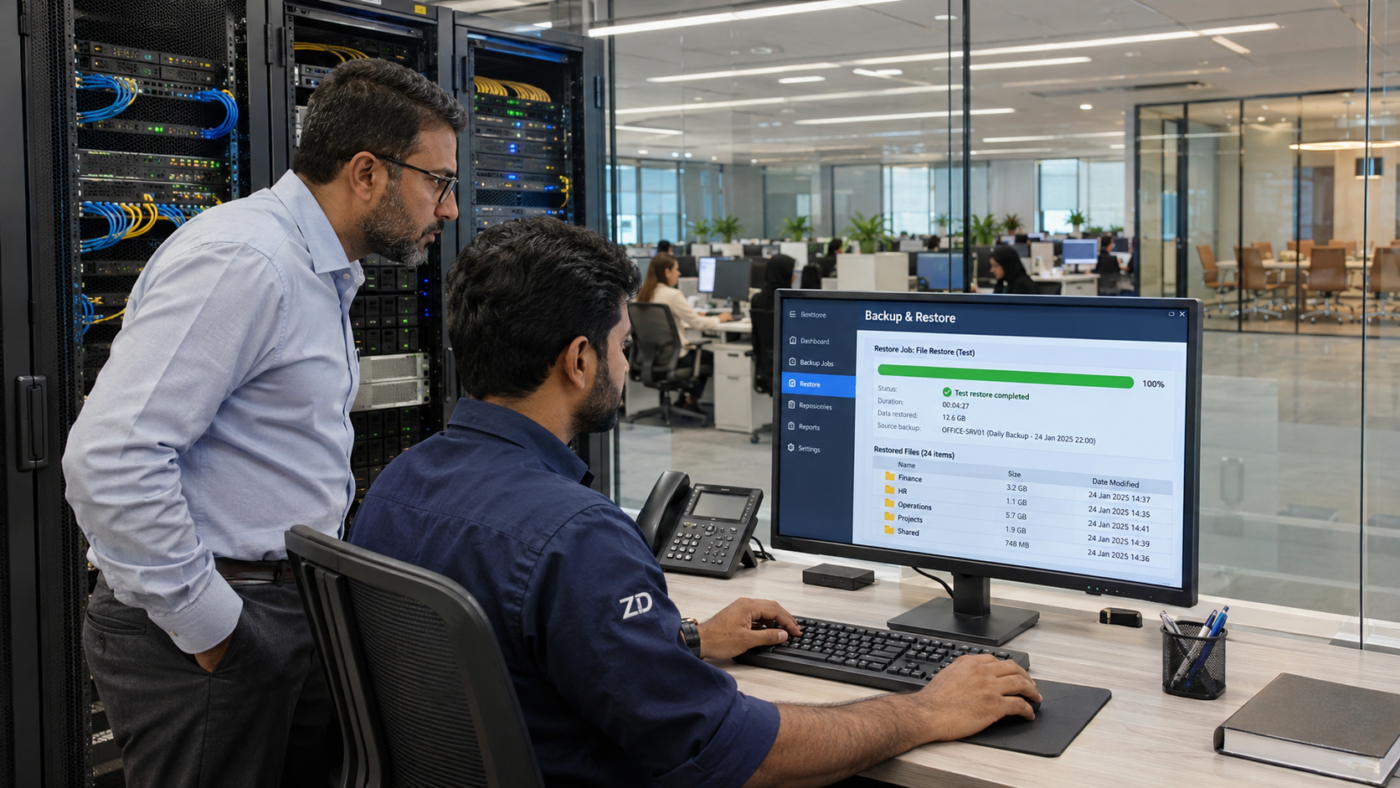
A successful backup notification is reassuring, but it does not prove that your team can recover the files it needs. For businesses planning server backup in the UAE, a controlled test restore is an important part of checking whether a backup is usable.
Imagine an accounts team losing access to its shared folder before a deadline. The useful questions are simple: which backup contains the right files, who can restore them, and how long will the check take? Answering these questions before an incident helps your office plan a more dependable recovery process.
What is a test restore?
A test restore recovers selected data from a backup into a separate, controlled location. The responsible IT person then checks that the recovered files open correctly and contain the expected information. The test should not overwrite working files or interrupt the live office system.
This is different from checking that a backup job finished. A job report describes the backup operation; a restore test gives evidence about the specific data and recovery process you tested. Recovering a few documents also does not prove that an entire server or business application can be restored.
Start with the information your office needs most
List the systems that staff rely on each day. Depending on your business, these may include shared documents, accounting data, inventory records, application settings and access permissions. Identify where each item lives and whether it is actually included in the backup.
- Choose an owner: name the person responsible for reviewing backup results and arranging recovery tests.
- Set recovery expectations: decide how much recent work the business could afford to lose and how long it could operate without each system.
- Check application requirements: databases and business software may need their own backup and recovery procedures, beyond copying folders.
- Keep access available: confirm that the authorised recovery team can obtain the required credentials and encryption keys through your approved secure process.
A practical checklist for a controlled restore test
- Select a representative sample. Include useful business files and a known version or date, rather than testing only an empty folder.
- Prepare a separate destination. Use an isolated test environment where appropriate. Keep restored data protected by suitable access controls.
- Restore from the chosen backup. Follow the documented procedure and record any errors or missing steps.
- Validate the result. Open the files, check their contents and versions, and verify the intended permissions. An application test should also check the functions your staff actually need.
- Record the outcome. Note the backup date, scope, elapsed time, result, responsible person and any corrective actions. Securely remove temporary test copies when they are no longer needed.
If ransomware or another security incident is suspected, involve your IT or security provider before restoring data into a production environment. Restoring a backup alone does not remove the cause of an incident.
Keep backup copies protected and review the plan
A backup that can be altered through the same compromised account as the live server may also be at risk. The CISA #StopRansomware Guide recommends offline, encrypted backups and regular checks of their availability and integrity. Review your backup access, separate copies and recovery procedures with your IT provider.
There is no single testing interval that suits every office. Agree a schedule based on the importance of the data, how often it changes and your recovery requirements. Review it after server replacements, software upgrades, backup changes or a failed test. Keep the recovery instructions somewhere authorised staff can reach if the main server is unavailable.
Discuss your office backup requirements with ZD
ZD Computer Trading LLC can discuss your office IT requirements across the UAE. Share your server or NAS model, operating system, approximate data size, existing backup arrangement and the problem you want to address. Do not send passwords or confidential business files with an initial enquiry.
For a backup and recovery assessment quotation, contact ZD Computer Trading, call 04 393 1778, or WhatsApp +971 50 886 3312. The scope and any work on live systems should be agreed after reviewing your setup.
